
Logitech MX Brio vs Brio 300: Both Send 1080p to Your Call
Logitech sells one webcam at three times the price of the other, and both send the same resolution to your next call. Here is where the money actually goes.

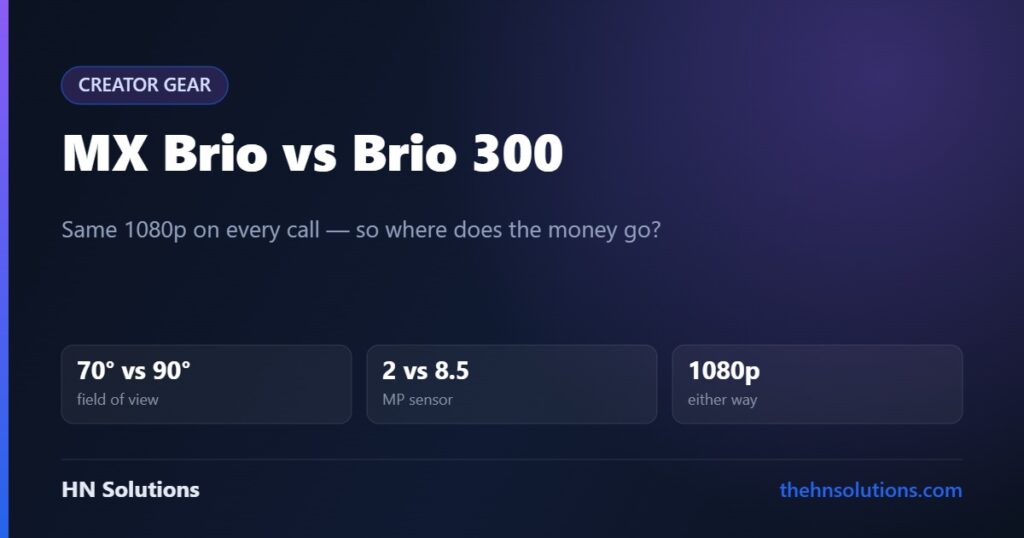
Logitech sells one webcam at roughly three times the price of the other, and both send exactly the same resolution to your next Teams call. Understanding why is the whole decision.
This is a research-based comparison, not a hands-on test. Read our review standards. Full write-ups: MX Brio and Brio 300.
The short answer
Brio 300 for most people. If you sit alone at a desk with reasonable light and you are on calls, it produces the same well-exposed, professional-looking image the expensive one does, for a fraction of the money.
MX Brio only if your room is difficult. The larger sensor earns its price in poor light, and the wider field of view matters if two people share the frame. Neither helps on a normal call in a normal room.
The 4K question, dealt with first
Zoom, Teams, Google Meet and most streaming platforms cap outgoing video at 1080p. The MX Brio shoots 4K; on a call it sends 1080p. The Brio 300 shoots 1080p; on a call it sends 1080p.
Side by side
| Specification | Brio 300 | MX Brio |
|---|---|---|
| Maximum resolution | 1080p / 30 fps | 4K / 30 fps, 1080p / 60 fps |
| Sensor | 2 MP | 8.5 MP Sony Starvis |
| Field of view | 70°, fixed | 90° / 78° / 65°, selectable |
| Microphones | Mono, noise-reducing | Dual beamforming |
| Body | Recycled plastic | Aluminium |
| Privacy shutter | Yes, integrated | Yes, integrated |
| Autofocus | Yes | Yes |
| HDR | No | Yes |
| Digital zoom | No | 4× |
| Light correction | RightLight 2 | RightLight 5 |
| Connection | USB-C | USB-C, detachable cable |
| Weight | Light | 137 g bare, 176 g with clamp |
| Windows Hello | No | No |
| Tripod thread | No | Yes, 1/4-inch |
The three differences that actually decide it
1. Field of view — the most common reason to return one
The Brio 300 is fixed at 70 degrees. That is framed for exactly one person at a desk, and for that it is right — head and shoulders, your room left out of shot.
It is too tight for two people sharing a laptop, and too tight if you want your workspace in frame. There is no setting to widen it. The MX Brio offers 90, 78 or 65 degrees in software.
2. Sensor size — which only matters in bad light
A 2 MP sensor against an 8.5 MP Sony Starvis is a genuine hardware gap, but it shows up in a specific condition: low light.
In a reasonably lit room both produce a bright, evenly exposed image, because both use the same Logitech auto-exposure philosophy. In a dim room the Brio 300’s software has to amplify a weaker signal, and the result is a brighter but noisier picture. The MX Brio’s larger sensor starts with more light to work with.
3. Microphones
Mono noise-reducing on the Brio 300; dual beamforming on the MX Brio. Beamforming uses two microphones to work out which direction your voice arrives from and suppress everything else, which handles a noisy room noticeably better.
Both comfortably beat a laptop’s built-in microphone. Neither replaces a dedicated desk microphone for anything recorded, because sitting a metre from any microphone puts room echo into the signal.
What is identical
Worth listing, because these are the things people assume scale with price:
- Resolution on a call. Both send 1080p. Every platform caps there.
- The privacy shutter. Both have a proper physical one that twists closed — the only camera privacy measure that does not depend on software behaving.
- Autofocus and auto-exposure philosophy. Same tuning approach, so both produce that bright, even, slightly flat Logitech look.
- Windows Hello. Neither supports it. If you log in with your face, both are a downgrade from the older Brio 4K.
Which should you buy?
Brio 300
- You sit alone at a desk
- Your room has reasonable light
- Calls are the whole job — no recording
- You would rather spend the difference on lighting or a microphone
- You want something small on top of the monitor
MX Brio
- Your room is genuinely dim
- Two people share the frame
- You record or stream, not just call
- You want the metal build and a tripod thread
- You want beamforming mics in a noisy room
The option neither review mentions
Buy the Brio 300 and spend the difference on a light and a microphone. For most home offices that combination produces a better call than the expensive camera alone, because poor lighting and bad audio are what actually make people look and sound unprofessional — not sensor size.
What this comparison cannot tell you
We have not photographed a test scene under controlled lighting or compared the two side by side. The specifications are Logitech’s own, and the description of how their auto-exposure behaves is drawn from independent reviews of the Brio range, which report the same profile across the 300, 500 and MX models.
Frequently asked questions
Is the MX Brio worth three times the price of the Brio 300?
Only in specific conditions: a dim room, two people in frame, or recording rather than calling. On a normal call in a reasonably lit room both send 1080p and look very similar.
Will the Brio 300 fit two people in shot?
Not comfortably. Its 70° field of view is fixed and framed for one person. The MX Brio offers up to 90°.
Do either support Windows Hello?
No, neither. Windows Hello needs an infrared depth sensor that neither model includes. The older Brio 4K did support it.
Is 1080p enough for video calls?
Yes. Zoom, Teams and Google Meet all cap outgoing video at 1080p, so a 4K webcam sends the same resolution your colleagues see from a 1080p one.
Which has better microphones?
The MX Brio, with dual beamforming against the Brio 300’s mono mic. Both beat a laptop microphone; neither replaces a dedicated one for recorded audio.
Should I just improve my lighting instead?
Very often, yes. A lamp positioned behind your monitor facing you improves how you look on camera more than upgrading the camera does, and costs less than the difference between these two.
- Logitech MX Brio review
- Logitech Brio 300 review
- BenQ ScreenBar Halo 2 — better light beats a better camera
- Rode NT-USB Mini — if audio is the real problem
- Jabra Evolve2 75 — the headset route
Sources. Specifications are Logitech’s own published figures for the MX Brio and Brio 300. Image-quality characterisation is drawn from independent review reporting. We have not tested either product and do not claim to have. Primary source: Logitech’s MX Brio product page.
If you move while you present, the Insta360 Link 2 puts the camera on a motorised gimbal.