
How to Use Claude AI — A Complete Beginner’s Guide



While most people struggle to understand AI tools, this How to Use Claude AI guide simplifies everything so beginners can actually use Claude AI in real-world tasks like blogging, research, and productivity in 2026.
What Is Claude AI?

Claude is an artificial intelligence assistant created by Anthropic — an AI safety company founded in 2021 by former OpenAI researchers. Claude is designed to be helpful, harmless, and honest — with a particular emphasis on producing thoughtful, nuanced, and high-quality responses.
Claude is widely considered one of the top two AI assistants in the world — alongside ChatGPT — and is the preferred tool for many professional writers, researchers, developers, and content creators who need more than surface-level AI output.
What makes Claude different:
- Produces longer, more coherent, and more naturally written content
- More reliable with factual accuracy — acknowledges uncertainty instead of fabricating answers
- Handles very long documents and complex reasoning tasks exceptionally well
- Maintains consistent tone and voice across extended conversations
- Built with a strong emphasis on safety and honest responses
How to Access Claude AI for Free

Getting started with Claude is completely free. Here’s how:
Step 1: Go to claude.ai. Step 2: Click “Sign Up” and create a free account using your email or Google account. Step 3: Verify your email address.s Step 4: Start a new conversation — you’re ready to go
Free plan includes:
- Access to Claude Sonnet — a highly capable model
- Web search functionality
- Document and image uploads
- Generous daily message allowance
- No credit card required
Claude Pro ($20/month) adds:
- Access to Claude’s most powerful models
- Higher message limits
- Priority access during peak hours
- Extended context for very long documents
For beginners, the free plan is more than enough to learn, practice, and start producing real results.
This makes Claude AI one of the easiest AI tools for beginners to start using in 2026 without any technical setup.
The Claude Interface: A Quick Tour

When you first open Claude, the interface is clean and minimal:
New conversation button — Starts a fresh chat session. Conversation history — Left sidebar showing your previous chats. Message box — Where you type your prompts. Attachment button — Upload files, images, or documents. Model selector — Choose between available Claude models
That’s it. No overwhelming dashboards, no complicated settings. Claude is designed to feel like a conversation — because that’s exactly what it is.
Understanding Claude AI Prompts (How to Use Claude AI)
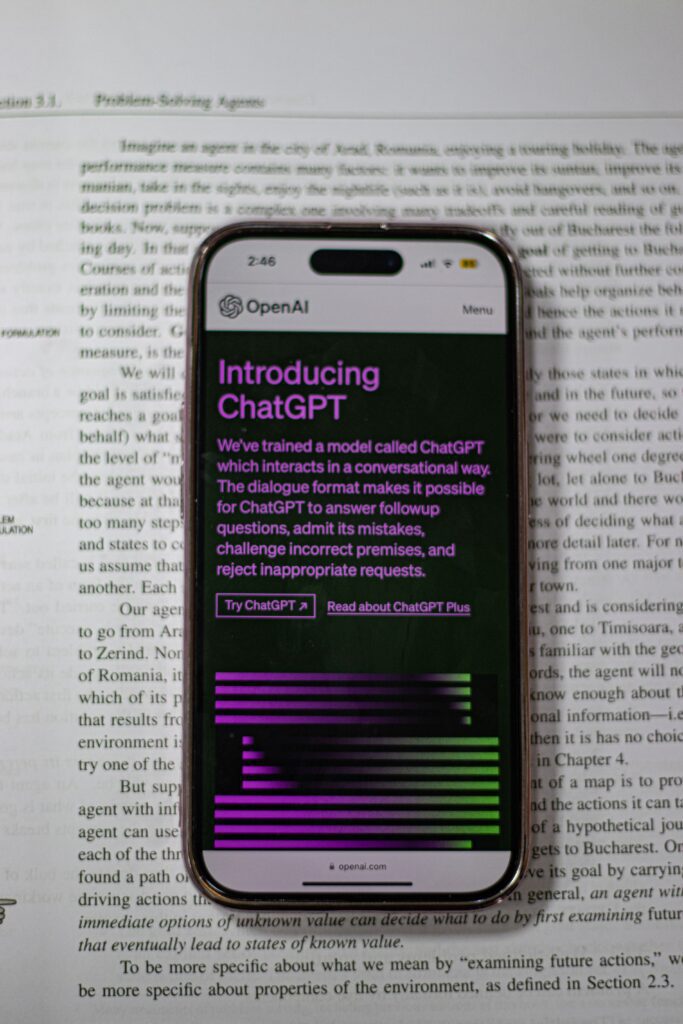
A prompt is simply the message or instruction you send to Claude. The quality of Claude’s response is directly determined by the quality of your prompt.
The golden rule of prompting: The more context and detail you provide, the better Claude’s response will be.
Weak prompt: “Write a blog post about AI tools.” Strong prompt: “Write a 1,500-word blog post about the best AI tools for beginner bloggers in 2026. The tone should be conversational and encouraging. Include practical examples, a comparison table, and end with an action plan. My target audience is people who have just started their first blog.”
The difference in output quality between these two prompts is enormous.
The four elements of a great prompt:
- Task — What do you want Claude to do?
- Context — What’s the background information Claude needs?
- Format — How should the response be structured?
- Tone — How should Claude communicate?
10 Powerful Ways to Use Claude AI in 2026

These use cases show why How to Use Claude AI is becoming an essential skill for beginners in 2026.
How to Use Claude AI for Blog Writing and Content Creation
This is where Claude truly shines. Its long-form writing quality, natural prose, and coherent article structure make it the best AI tool for bloggers in 2026.
How to use Claude for blogging:
Generate article ideas: “I run a blog about making money online, targeting global beginners. Give me 20 specific blog article ideas that have high search potential and strong affiliate marketing opportunities.”
Create a full article outline: “Create a comprehensive SEO article outline for the topic: ‘How to Start Affiliate Marketing in 2026.’ Include an introduction, 7 main sections with H2 headings, subsections with H3 headings, a FAQ section, and a conclusion. Target keyword: affiliate marketing for beginners.”
Write full article sections: “Write the introduction and first two sections of this article. Tone: conversational but authoritative. Length: 400 words per section. Include the keyword ‘affiliate marketing for beginners’ naturally in the first paragraph.”
Write meta titles and descriptions: “Write 5 SEO title tag options and 3 meta description options for an article about affiliate marketing for beginners. Primary keyword: affiliate marketing for beginners 2026. Keep titles under 60 characters.”
2. How to Use Claude AI for Research and Summarization
Claude excels at processing large amounts of information and extracting what matters.
Research a topic: “Research the current state of affiliate marketing in 2026. Cover: market size, growth trends, most profitable niches, and what’s changed from previous years. Cite specific data points where possible.”
Summarize long documents: Upload a PDF or paste a long article and ask: “Summarize this document in 5 bullet points. Then identify the 3 most important insights and explain why they matter.”
Explain complex topics simply: “Explain how Google’s search algorithm works in simple terms that a complete beginner could understand. Use an analogy to make it relatable.”
3. How to Use Claude AI for SEO Content Optimization
Claude understands SEO principles deeply and can help optimize your content for search engines without making it read like keyword-stuffed spam. Many bloggers now rely on How to Use Claude AI for improving SEO structure and content quality
Keyword integration: “Here is my blog article draft. My target keyword is ‘best AI tools for bloggers.’ Review the article and suggest where to naturally add this keyword and related terms. Don’t change the writing style — just identify the best placement opportunities.”
SEO audit of existing content: “Review this article for SEO. Identify: missing keywords, thin sections that need expansion, internal linking opportunities, and any content gaps compared to what a comprehensive article on this topic should cover.”
Generate FAQ sections: “Generate a FAQ section for an article about Pinterest affiliate marketing. Include 8 questions that people commonly search on Google. Answer each question in 3–4 sentences.”
4. How to Use Claude AI for Freelance Work and Client Projects
For freelancers, Claude is like having a senior colleague available 24/7.
Write client proposals: “Write a professional freelance proposal for a content writing project. The client needs 4 blog articles per month about digital marketing. I charge $50 per article. Highlight my AI-assisted workflow as a quality advantage. Keep it under 200 words.”
Client email templates: “Write a professional follow-up email to a potential client who hasn’t responded to my proposal in 7 days. Tone: friendly but professional. Don’t be pushy. Remind them of the value I offer and invite them to schedule a quick call.”
Project briefs: “Create a detailed content brief for a 2,000-word article about remote work tools. Include: target audience, primary keyword, secondary keywords, required sections, word count per section, tone guidelines, and internal linking suggestions.”
5. How to Use Claude AI for Social Media Content Creation
Claude can generate weeks of social media content in one session.
Batch caption creation: “Write 30 Instagram captions for a blog about making money online. Mix educational tips, motivational content, and promotional posts. Each caption should be 100–150 characters and end with a relevant call to action. Include 5 relevant hashtags per post.”
Twitter/X threads: “Write a 10-tweet thread about the best ways to make passive income in 2026. Make each tweet standalone but connected. Start with a hook tweet that creates curiosity.”
LinkedIn posts: “Write a professional LinkedIn post about how AI tools are changing freelancing in 2026. Share a personal insight, provide practical value, and end with a question to encourage engagement. 200 words maximum.”
6. How to Use Claude AI for Email Marketing
Email is one of the highest-converting marketing channels — and Claude can write entire email sequences for you.
Welcome email sequence: “Write a 5-email welcome sequence for new subscribers to my blog about making money online. Email 1: Welcome + what to expect. Email 2: My story and why I started. Email 3: Best resource on my blog. Email 4: Common mistakes beginners make. Email 5: Call to action. Each email should be 200–300 words.”
Newsletter writing: “Write a weekly newsletter for my blog audience interested in earning online with AI. Include: one key insight about AI tools, one practical tip they can use today, and one recommendation (my latest article). 300 words total.”
7. How to Use Claude AI for Learning and Skill Development
Claude is one of the best learning tools available — infinitely patient and able to explain any topic at any level. This makes Claude AI one of the most beginner-friendly AI tools for beginners in 2026.
Learn a new skill: “I want to learn SEO from scratch. Create a 30-day learning plan for a complete beginner. Break it into daily tasks, cover the most important concepts first, and include free resources for each topic.”
Get explanations: “Explain what backlinks are and why they matter for SEO. Use a simple analogy. Then tell me the 3 most effective ways to build backlinks for a new blog.”
Practice and feedback: “Here is a blog introduction I wrote. Give me honest feedback on: clarity, engagement, SEO optimization, and tone. Then rewrite it showing me how you’d improve it.”
8. How to Use Claude AI for Coding and Technical Tasks
Even if you’re not a developer, Claude can help with basic technical tasks that every blogger eventually faces.
Fix website code: “Here is the CSS code for my blog header. The text is not centering properly on mobile screens. Find the issue and fix it.”
Write basic scripts: “Write a simple Python script that reads a CSV file of blog article titles and checks which ones are over 60 characters (too long for SEO title tags).”
Explain technical concepts: “Explain what a sitemap.xml file is, why it matters for SEO, and how to create one for a WordPress blog. Step by step, beginner-friendly.”
9. How to Use Claude AI for Business Strategy and Planning
Claude is an excellent thinking partner for business planning and strategy.
Content strategy: “I run a blog about making money online. I have published 10 articles. Help me build a content strategy for the next 3 months. Consider: topical authority, internal linking structure, keyword difficulty progression, and monetization optimization.”
Monetization strategy: “Review my blog’s current monetization: Google AdSense + Hostinger affiliate + Whop affiliate. Suggest 5 additional income streams that would fit naturally with my existing content and audience.”
Competitive analysis: “I want to rank for the keyword ‘best AI tools for bloggers.’ Describe what a comprehensive, competitive article on this topic should include to outrank existing results. What topics, sections, and unique angles should I cover?”
10. How to Use Claude AI for Personal Productivity
Beyond professional tasks, Claude is a powerful personal productivity tool. Claude AI productivity workflows are a major reason people search How to Use Claude AI in 2026. This is why searching How to Use Claude AI has become common among freelancers and creators looking to improve productivity in 2026.
Plan your week: “Help me plan my week as a part-time blogger working 15 hours per week. I need to write 2 articles, create 20 Pinterest pins, respond to emails, and spend time on SEO research. Create a realistic daily schedule.”
Brainstorming: “I’m stuck on what to write next for my blog. My niche is making money online with AI. Give me 10 specific, fresh angles that haven’t been overdone — with a unique hook for each.”
Decision making: “I’m deciding between focusing on YouTube or Pinterest to drive traffic to my blog. My niche is online income and AI tools. My available time is 5 hours per week for content creation. Help me think through this decision with pros and cons of each.”
Advanced Claude Tips for Power Users

Use the System Prompt Technique
Start every conversation by telling Claude who it is and what context it’s working in:
Setting this context at the start of every conversation dramatically improves the consistency and relevance of Claude’s responses.
Ask Claude to Review Its Own Work
After Claude produces an output, ask it to critique itself: “Review what you just wrote. What are the weakest parts? How would you improve them?”
This self-review process often surfaces improvements Claude wouldn’t volunteer unprompted.
Use Claude for Multi-Step Workflows
Break complex projects into steps: “Step 1: Research this topic. Step 2: Create an outline. Step 3: Write section one. Step 4: Review and improve.”
This step-by-step approach produces better results than asking Claude to do everything in one massive prompt.
Upload Documents for Analysis
Claude can process PDFs, Word documents, and text files. Upload your existing articles and ask Claude to:
- Identify weak sections
- Suggest improvements
- Check for SEO optimization
- Compare against a competitor article you paste in
Claude vs ChatGPT: Which Should You Use?
Both are powerful. Here’s the quick decision guide:
| Task | Better Tool |
| Long-form blog writing | Claude ✅ |
| Quick short-form content | ChatGPT |
| Research and analysis | Claude ✅ |
| Image generation | ChatGPT (DALL-E) |
| Coding assistance | Tie |
| Tone consistency | Claude ✅ |
| Factual accuracy | Claude ✅ |
| Plugin ecosystem | ChatGPT |
For bloggers and content creators focused on long-form writing, Claude is the superior choice. For versatility across many different task types — use both.
Common Beginner Mistakes When Using Claude
Avoiding these mistakes is key to mastering How to Use Claude AI effectively for real-world results.
Giving vague prompts, “Write something about blogging,” produces generic output. “Write a 1,500-word SEO article about how to start a blog in 2026 for complete beginners” produces a publishable draft. Always be specific.
Not providing context, Claude doesn’t know your blog, your audience, or your goals unless you tell him. Always provide context before asking for output.
Accepting first drafts without editing Claude’s output is a starting point — not a finished product. Always edit, personalize, and add your own insights and experiences before publishing or delivering to clients.
Using one massive prompt for complex tasks, break complex projects into stages. Research first, then outline, then write section by section. The quality at each stage is significantly higher than trying to get everything in one prompt.
Not iterating. If Claude’s first response isn’t what you wanted — don’t start over. Say “That’s good, but I want the tone to be more conversational” or “Can you expand the third section with more specific examples?” Claude improves with feedback.
Getting the Most from Claude’s Free Plan
The Claude AI free plan is enough for most beginners exploring AI tools for beginners in 2026. The free plan has daily message limits — here’s how to use them wisely:
- Batch your tasks — Plan what you need before starting. Do all your content creation in one focused session rather than scattered throughout the day.
- Write longer prompts — One detailed prompt that produces a full article draft is more efficient than five short prompts that each produce fragments.
- Save your best prompts — Keep a document of prompts that work well. Reuse and refine them rather than starting from scratch each time.
- Use Claude for high-value tasks — Don’t waste your daily messages on things you could Google. Use Claude for complex writing, strategy, and analysis where its capabilities make a real difference.
Final Thoughts: Why How to Use Claude AI Matters in 2026
In 2026, the gap between people who use AI effectively and those who don’t is growing wider every month. Claude AI — available completely free — gives you access to one of the most sophisticated AI systems ever built. Mastering How to Use Claude AI gives beginners a strong advantage in blogging, freelancing, and productivity.
You can use it to write better content, research faster, serve more clients, build stronger strategies, and learn new skills at a pace that wasn’t possible just a few years ago. Using Claude AI effectively is now one of the most important skills in the world of AI tools in 2026.
The tool is free. The knowledge is in this guide. All that’s left is to open claude.ai and start your first conversation.
What will you build?
🔗ChatGPT vs Claude – Which Is Better for Bloggers in 2026?
🔗Best AI Tools for Beginners in 2026
🔗AI Freelancing for Beginners 2026
🔗How to Start a Blog in 2026 and Make Money
📚 More Helpful Guides from TheHNSolutions: