
AI Tools for Beginners — Where to Start and What to Skip

AI is no longer a buzzword reserved for tech giants and Silicon Valley engineers. In 2026, it’s a practical, everyday skill — one that’s reshaping how people work, earn, and create online. If you’ve been meaning to start but didn’t know where to begin, this guide was written for you.
Table of Contents
Why Everyone Is Talking About AI (And Why You Can’t Afford to Ignore It)

You’ve seen it everywhere — AI writing blog posts, generating images, editing videos, summarizing documents, and even running entire social media accounts.
But here’s the frustrating reality most beginners experience:
You sign up for a few AI tools, click around for 20 minutes, feel overwhelmed — and never go back.
That’s not your fault. Most guides either go too deep into technical jargon or stay too surface-level to be useful. What you actually need is a practical, no-fluff roadmap that tells you exactly which tools to use, how to use them, and how to turn that knowledge into real-world results.
That’s exactly what this guide delivers.
By the end of this article, you’ll know:
- What AI tools actually do (in plain English)
- Which tools are genuinely worth your time in 2026
- How to go from zero to confident in 30 days
- How real beginners are using AI to earn online
Let’s get into it.
What Are AI Tools? (A Simple, Honest Explanation)
AI tools are software applications powered by artificial intelligence that help you think faster, create smarter, and work more efficiently.
You give them an instruction (called a “prompt”), and they produce an output — a piece of writing, an image, a plan, a summary, a piece of code. That’s it.
Here’s what that looks like in practice:
| You Type… | AI Produces… |
| “Write a blog intro about healthy eating” | A ready-to-edit draft in seconds |
| “Summarize these meeting notes” | A clean, structured summary |
| “Create a social media caption for my new product” | 5 caption options to choose from |
| “Design a minimalist logo concept” | A visual starting point |
Think of AI as a brilliant junior assistant — fast, tireless, and capable — but one that still needs your direction, judgment, and editing to produce truly great results.
This distinction matters. AI amplifies your skills. It doesn’t replace them.
Why 2026 Is the Best Time for Beginners to Start
A lot of people assume they’ve missed the AI wave. They haven’t. In fact, 2026 may be the most beginner-friendly year yet to get started, and here’s why:

1. The Tools Are Built for Non-Technical Users
Early AI tools required prompting expertise, technical knowledge, or coding backgrounds. Today’s tools are as intuitive as sending a WhatsApp message. If you can type, you can use AI.
2. Free Versions Are Genuinely Powerful
You don’t need to spend a single rupee or dollar to start learning and applying AI. Free tiers of tools like ChatGPT, Canva, and Grammarly are more capable than ever.
3. AI Literacy Is Becoming a Basic Workplace Skill
Just as knowing how to use Excel or Google was once a differentiator — and is now expected — AI fluency is rapidly becoming the new baseline. Getting ahead of that curve now puts you in an advantageous position.
4. Content Demand Has Never Been Higher
Businesses, blogs, YouTube channels, and brands are all hungry for quality content. People who can use AI to produce high-quality work quickly are in extremely high demand — as freelancers, content creators, and employees.
5. Emerging Markets Are Gaining Access
In regions like South Asia, Africa, and Latin America, AI tools are now accessible at scale for the first time. This is a leveling of the playing field — a once-in-a-generation opportunity to compete globally from anywhere.
The 8 Best AI Tools for Beginners in 2026 (With Real Use Cases)
There are hundreds of AI tools available. Most beginners don’t need most of them. Here are the ones that actually matter — and exactly how to use them.

1. ChatGPT — Your All-Purpose AI Assistant
Best for: Writing, research, brainstorming, learning, coding basics

ChatGPT remains the single best starting point for any beginner in 2026. It’s not just a chatbot — it’s a multi-purpose creative and analytical assistant that can handle an enormous range of tasks.
Practical use cases:
- Draft blog posts and article outlines
- Generate social media captions in bulk
- Explain complex topics in simple language
- Proofread and rewrite existing content
- Answer questions, suggest strategies, debug basic code
Beginner workflow for blogging:
- Ask ChatGPT for 10 blog topic ideas in your niche
- Pick the best one and ask for a full outline
- Expand each section with ChatGPT’s help
- Edit manually to add your personal voice and experience
- Run it through Grammarly before publishing
Critical rule: Never copy-paste AI output directly. Always rewrite, personalize, and add your own insights. Google rewards authentic, experience-driven content — not raw AI text.
2. Claude (by Anthropic) — The Thinking Person’s AI Assistant
Best for: Long-form writing, deep research, content strategy, nuanced analysis, and complex problem-solving
If ChatGPT is your everyday assistant, think of Claude as your senior strategist. Built by Anthropic with a strong focus on safety, accuracy, and thoughtful reasoning, Claude excels at tasks that require depth, context, and nuance — making it a standout tool for bloggers, writers, and digital marketers who want more than surface-level output.
Practical use cases:
- Write long-form, well-structured blog articles with strong editorial quality
- Analyze your content strategy and suggest improvements
- Research complex topics and get clear, balanced explanations
- Draft detailed outlines, full articles, emails, and social posts
- Get feedback on your writing tone, clarity, and SEO structure
- Handle sensitive or nuanced topics with more careful, thoughtful responses
What makes Claude different from ChatGPT? Claude tends to produce longer, more detailed, and better-reasoned responses — especially for analytical or research-heavy tasks. It’s also less likely to confidently state incorrect information, making it a more reliable partner for content that needs to be accurate and trustworthy.
Beginner workflow for blog writing:
- Share your niche and target audience with Claude
- Ask it to generate a fully SEO-structured article outline
- Request a complete draft, section by section
- Ask Claude to review its own output for tone and readability
- Edit and personalize before publishing
Pro tip: Claude is available for free at claude.ai — no credit card required. The free version is more than enough for most beginner use cases.
3. Canva — Professional Visuals Without a Design Degree
Best for: Blog thumbnails, social media graphics, presentations, infographics
A great article with poor visuals loses readers. Canva solves this completely — even for people with zero design experience.
Practical use cases:
- Create eye-catching blog featured images
- Design Instagram, Facebook, and Pinterest posts
- Build professional pitch decks and media kits
- Make YouTube thumbnails that boost click-through rates
Pro tip: Canva’s AI features (like Magic Design and text-to-image) let you generate unique visuals from a description — no stock photo hunting needed.
4. Grammarly — The Difference Between Amateur and Professional
Best for: Grammar, clarity, tone, and readability
You can have the best ideas in the world, but a typo-filled article destroys your credibility instantly. Grammarly catches errors, improves sentence clarity, and even adjusts your writing tone.
Use it for: Every article, email, social media post, and caption before it goes live. It’s non-negotiable for serious bloggers.
5. Notion AI — Your Organized Content Command Center
Best for: Content planning, idea storage, editorial calendars, project management
Running a blog without organization is chaos. Notion turns your content strategy into a structured, searchable, manageable system.
Practical use cases:
- Build a content calendar with deadlines
- Store article drafts, outlines, and research notes
- Track keyword targets and publishing status
- Use Notion AI to summarize research and generate briefs
Why it matters for your blog: Consistent publishing is the #1 driver of blog growth. Notion makes consistency achievable.
6. Midjourney — Stand Out with Unique Visuals
Best for: AI-generated images for blogs, branding, and creative projects

Generic stock photos make your blog look like every other site. Midjourney lets you generate completely original, professional-quality images from text descriptions.
Example prompt: “A clean, minimalist home office setup with warm golden light, a laptop, a plant, and a notebook — photorealistic style”
The result? An image no other blog has. That’s a branding advantage.
7. Pictory — Repurpose Content at Scale
Best for: Turning blog posts into videos, YouTube Shorts, TikToks, and Reels
Publishing one blog post and leaving it at that is a missed opportunity. Pictory converts your written content into short, shareable videos automatically — multiplying your reach without multiplying your workload.
Workflow: Write one blog post → Pictory creates a video → Share across YouTube, Instagram, TikTok, Facebook
8. GitHub Copilot — For Aspiring Developers
Best for: Coding assistance, learning programming faster
If you’re learning web development, building apps, or exploring tech as a career, GitHub Copilot is an AI coding assistant that writes, suggests, and debugs code alongside you in real time. It dramatically speeds up the learning curve.
When to Use Which Tool: A Simple Decision Guide
Beginners often make the mistake of using too many tools or the wrong tool for the job. Here’s a clean, practical reference:
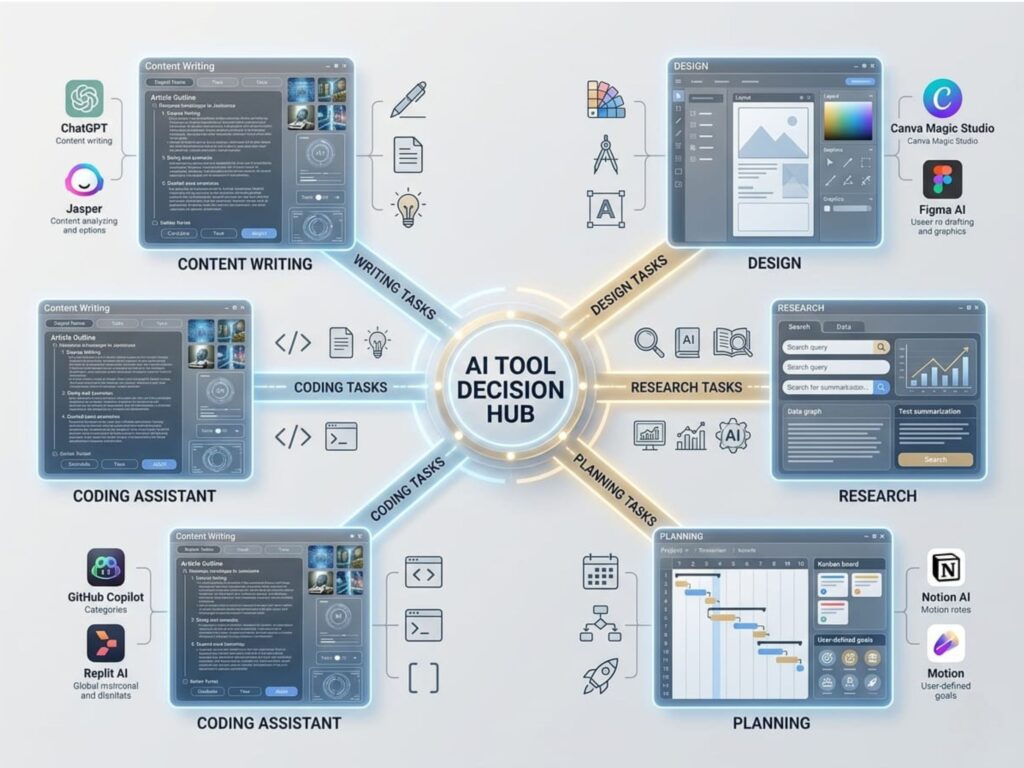
| Task | Best Tool |
| Writing & brainstorming | ChatGPT |
| In-depth writing & research | Claude |
| Design & graphics | Canva |
| Grammar & editing | Grammarly |
| Planning & organization | Notion |
| Unique image creation | Midjourney |
| Content repurposing | Pictory |
| Learning to code | GitHub Copilot |
The golden rule: Don’t collect tools. Master a small stack and use it consistently. Three tools used daily beat ten tools used occasionally.
The 30-Day AI Learning Roadmap for Complete Beginners
Most guides tell you what to use. This section tells you how to build the habit.
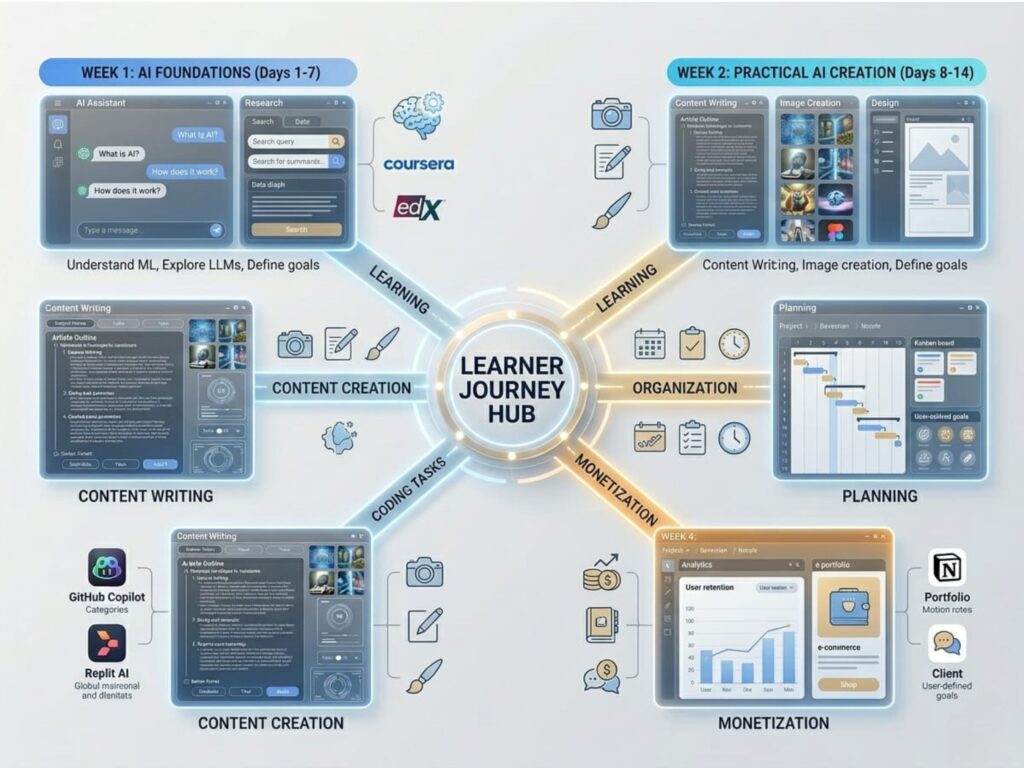
Week 1: Get Comfortable (Days 1–7)
- Create a free ChatGPT account
- Use it every single day — ask questions, generate ideas, get explanations
- Practice writing different types of prompts
- Goal: Overcome the intimidation. Make it feel normal.
Week 2: Apply It to Real Work (Days 8–14)
- Write 2–3 full blog posts using ChatGPT + Grammarly
- Design matching graphics in Canva
- Publish at least one piece of content publicly
- Goal: Produce something real. Ship, don’t perfect.
Week 3: Organize & Optimize (Days 15–21)
- Set up Notion for content planning
- Build a 30-day content calendar
- Review your published content — what worked? What didn’t?
- Goal: Build a system, not just a habit.
Week 4: Build & Monetize (Days 22–30)
- Launch or improve your blog/portfolio
- Repurpose one article into a video using Pictory
- Apply for one affiliate program or one freelance gig
- Goal: Create a real income pathway.
How Beginners Are Actually Making Money Using AI in 2026
This is the section most blogs either skip or treat too vaguely. Let’s be specific.
1. Blogging + Affiliate Marketing
Use AI to research, outline, and draft SEO articles. Monetize through affiliate programs (Amazon, Bluehost, digital tools) and display ads (Google AdSense, Ezoic). One well-ranked article can generate passive income for years.
(Already covered in depth in our previous article — What Is Affiliate Marketing? How to Start as a Beginner in 2026)
2. Freelance Content Writing
Businesses desperately need content. Use ChatGPT to increase your output capacity, Grammarly to polish everything, and Canva to offer graphic add-ons. Charge per article, per project, or on retainer. Platforms: Upwork, Fiverr, LinkedIn.
3. Social Media Management
Manage social accounts for local businesses or personal brands. Use ChatGPT to generate captions, Canva for graphics, and scheduling tools to automate posting. This is a high-demand, high-paying service in 2026.
4. YouTube Automation & Shorts
Write a script with ChatGPT → Convert to video with Pictory → Upload to YouTube. Build faceless YouTube channels around profitable niches and earn through ads and affiliate links.
5. Digital Products
Use AI to create ebooks, Notion templates, prompt packs, or mini-courses. Sell them on Gumroad, Etsy, or your own blog. Low effort to create, zero inventory to manage.
Free vs. Paid AI Tools: What Should You Actually Choose?
Start with free. Upgrade when it makes financial sense.
Free tools are enough when:
- You’re still learning and experimenting
- You haven’t generated any income yet
- You want to test before committing
Paid tools make sense when:
- You’re actively earning and need faster output
- Free limits are slowing your productivity
- Advanced features directly translate to more revenue
Most successful beginners spend 3–6 months entirely on free tools before they ever pay for anything. Don’t let subscription costs be your excuse for not starting.
5 Common Myths About AI Tools That Are Holding Beginners Back
Myth 1: “AI Will Replace Me”
AI replaces repetitive tasks, not creative thinking. People who use AI effectively will replace people who don’t use AI at all. Be on the right side of that shift.
Myth 2: “I Need Tech Skills to Use AI”
Modern AI tools require zero technical knowledge. If you can type a sentence, you can use ChatGPT.
Myth 3: “AI Content Ranks on Google Automatically”
Google’s algorithm ranks quality, helpfulness, and user experience — not the method of creation. Unedited AI content rarely ranks well. Edited, personalized, experience-driven content does.
Myth 4: “More Tools = Better Results”
Tool hopping is procrastination in disguise. Master fewer tools deeply rather than collecting subscriptions you never fully use.
Myth 5: “It’s Too Late to Start”
The AI industry is still in its early stages. The tools available in 2026 are exponentially more capable than 2023, and they’re becoming more accessible by the month. You are not late — you are right on time.
Mistakes to Avoid as a Beginner (Learn From Others, Not From Failure)
- Copy-pasting AI output without editing — It’s detectable, it ranks poorly, and it damages your credibility
- Trying to use 10 tools at once — Pick 2–3, master them, then expand
- Ignoring consistency — One great article per month beats ten mediocre ones published once and abandoned
- Skipping the editing phase — AI gives you a first draft. Your editing turns it into a final product
- Waiting to be ready — You learn AI by using AI. There is no shortcut to starting
The Future of AI Tools: Where Things Are Headed
AI is not slowing down. The direction is clear:

- Personalized AI assistants that learn your specific writing style, preferences, and workflows
- Voice-first workflows where you dictate ideas and AI structures and publishes them
- Deeper automation that handles everything from content ideation to SEO optimization to social scheduling
- AI-native platforms where creation and distribution happen in one unified environment
The professionals who thrive in this future are not those who avoided AI — they’re the ones who started early, built fluency, and kept adapting.
Beginner questions about AI tools
Are AI tools safe to use? Yes. Standard AI tools like ChatGPT and Canva are safe for everyday use. Avoid sharing sensitive personal information (passwords, financial data, private documents) with any AI platform.
Do I need coding or tech skills? Absolutely not. Today’s AI tools are designed for everyday users. If you can type, you can start.
Which tool should I begin with? Start with ChatGPT. Use it for 7 days straight before adding anything else.
Can I realistically earn money using AI tools? Yes — through blogging, freelancing, social media management, YouTube, and digital products. Income takes time to build, but the pathway is clear and proven.
How long does it take to get comfortable? Most beginners feel confident within 2–4 weeks of daily practice. Fluency comes within 2–3 months. Consistency is the only variable that matters.
Conclusion: Start Small. Stay Consistent. Move Fast.
AI tools are not intimidating — they’re just unfamiliar. And unfamiliarity fades the moment you start using something every day.
You don’t need to master everything at once. You don’t need to invest money upfront. You don’t need a tech background, a large following, or a perfect plan.
You need to pick one tool, use it today, and keep going tomorrow.
Because in 2026, the gap between people who use AI and people who don’t is widening every single week. The ones who start now — even imperfectly — will have a significant head start over those still waiting for the “right time.”
The right time is right now.
📚 More Helpful Guides from TheHNSolutions: