
Logitech MX Master 3S Review: Still the Mouse to Beat?

Heads up: this article contains affiliate links. If you buy through one we may earn a small commission, at no extra cost to you. It does not change what we recommend — see our affiliate disclosure.
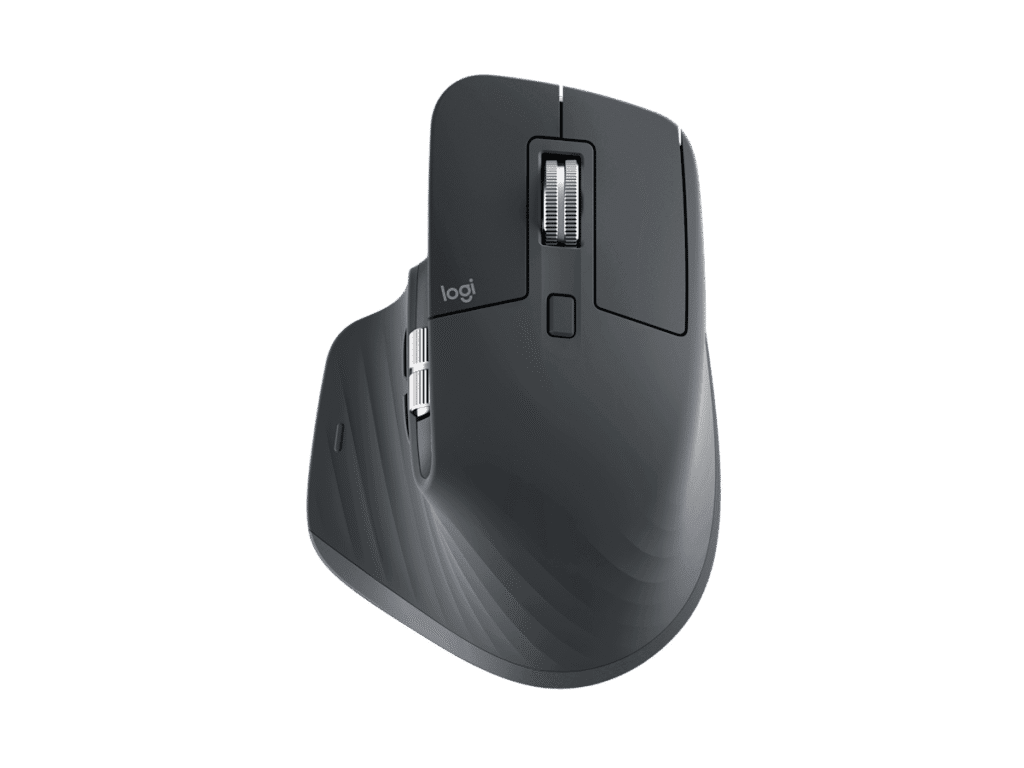
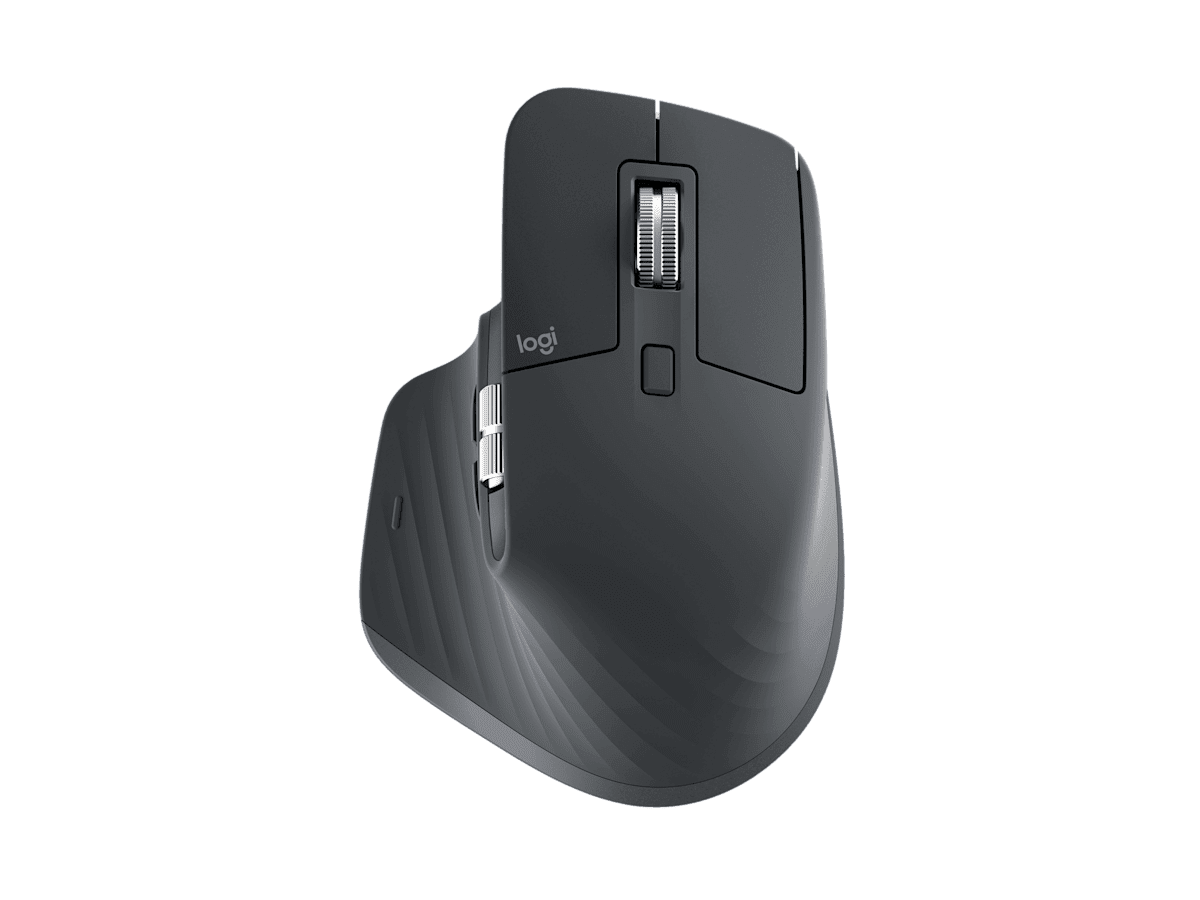
If you’ve been searching for the best wireless mouse for productivity, chances are the Logitech MX Master 3S is already on your shortlist — and for good reason. Since its launch, this flagship wireless mouse has become the default recommendation for programmers, designers and remote workers, comfort, and reliability from their peripherals.
How this review was put together. This is a research-based buying guide, not a hands-on test. It is built from manufacturer specifications, published measurements and documented owner feedback. Read our full review standards.
Where it sits on price Premium
The MX Master line has always sat at the top of Logitech’s productivity range, above the MX Anywhere and well above anything in the office-basics tier. You are paying for the sensor, the electromagnetic scroll wheel and the multi-device switching — not for gaming specs.
Check the current price on Amazon
We do not publish a figure here. Amazon changes prices constantly, and a number typed into an article is out of date within days — so the link goes to the live price instead.
In this Logitech MX Master 3S review, we’ll break down everything you need to know — from its 8,000 DPI optical sensor and revolutionary MagSpeed scroll wheel to its whisper-quiet clicks and multi-device connectivity. By the end, you’ll know exactly whether this mouse is worth your money in 2026.
🛒 Check Latest Price on Amazon
Logitech MX Master 3S: Quick Specs at a Glance
| Spec | Details |
|---|---|
| Sensor | 8,000 DPI Darkfield optical (tracks on glass) |
| Scroll Wheel | MagSpeed electromagnetic (1,000 lines/sec) |
| Connectivity | Bluetooth + Logi Bolt USB receiver |
| Battery Life | Up to 70 days (1 min charge = 3 hrs) |
| Multi-Device | Up to 3 devices (Easy-Switch button) |
| Click Noise | 90% quieter vs MX Master 3 |
| Weight | 141g |
| Software | Logi Options+ (Windows & macOS) |
| Colors | Graphite, Pale Grey, Black |
| Price | See live price |
What Makes the MX Master 3S Special?
The MX Master 3S isn’t just a mouse — it’s a precision engineering masterpiece designed for people who spend hours at a computer every day.
1. Quiet Clicks That Still Feel Satisfying
The headline upgrade over its predecessor is Quiet Clicks — 90% less click noise compared to the MX Master 3, yet the tactile feedback remains crisp and satisfying. If you work in open offices, cafes, or late at night, this alone makes the upgrade worthwhile.
2. 8,000 DPI Darkfield Sensor — Works on Glass
Most mice struggle on glass surfaces. The MX Master 3S uses Logitech’s Darkfield optical sensor with 8,000 DPI precision, tracking on virtually any surface including glass (minimum 4mm thickness). You can adjust sensitivity in Logi Options+ from 200 to 8,000 DPI — perfect for photo editing, coding, or casual browsing.
3. MagSpeed Electromagnetic Scroll Wheel
The MagSpeed scroll wheel scrolls 1,000 lines per second in free-spin mode — perfect for navigating long spreadsheets, code files, or web pages. It switches automatically between ratchet and free-spin modes based on speed, and the machined steel construction gives it premium tactility. Nearly silent, too.
4. Ergonomic Design Built for All-Day Use
Sculpted for right-handed users, the MX Master 3S supports the natural curve of your hand with a thumb rest, side scroll wheel, and perfectly placed customizable buttons. At 141g, it’s heavy enough to feel premium without causing strain during marathon work sessions.
5. Connect Up to 3 Devices Simultaneously
The Easy-Switch button lets you pair up to 3 computers and switch instantly. Combined with Logi Flow in Logi Options+, you can move your cursor straight from one computer to another — and even copy-paste across machines. Genuinely useful if you keep a laptop and a desktop on the same desk.
6. 70-Day Battery Life
USB-C charging delivers up to 70 days on a full charge. A 1-minute quick charge gives 3 hours of use — so you’re never truly stranded.
What it nails and what it misses
✅ Pros
- 90% quieter clicks vs previous model
- 8K DPI sensor tracks on glass surfaces
- MagSpeed scroll wheel is incredibly fast & silent
- Up to 70-day battery with USB-C charging
- Connect to 3 devices with Easy-Switch
- Logi Flow for cross-computer control
- Premium ergonomic build — comfortable all day
- 7 customizable buttons via Logi Options+
- Made with recycled plastic
❌ Cons
- Right-handed only
- Logi Options+ required for full features
- Heavier than ultralight gaming mice (141g)
- No RGB lighting
- Premium price vs basic wireless mice
MX Master 3S vs MX Master 3: What’s Different?
| Feature | MX Master 3 | MX Master 3S ⭐ |
|---|---|---|
| Sensor DPI | 4,000 DPI | 8,000 DPI |
| Glass Tracking | ❌ No | ✅ Yes |
| Click Noise | Standard | 90% quieter |
| Charging | USB-C | USB-C |
| Battery | 70 days | 70 days |
| Price | See live price | See live price |
Who Is the Logitech MX Master 3S Best For?
- Software developers & programmers — fast scroll wheel and multi-device support are perfect for coding workflows
- Graphic designers & video editors — 8K DPI gives pixel-accurate cursor control in creative apps
- Remote workers & freelancers — all-day comfort and 70-day battery means zero interruptions
- Open office workers — Quiet Clicks keep noise levels minimal in shared environments
- Multi-computer users — Logi Flow makes switching between devices effortless
- Anyone with a glass desk — one of the only mice that reliably tracks on glass
Is the Logitech MX Master 3S Worth It in 2026?
At its usual price, the MX Master 3S sits at a premium point — but it delivers premium performance. Compared to budget mice in the $20–40 range, the difference in comfort, precision, and features is night and day. If you spend 6–10 hours daily at a computer, this is an investment in your productivity and comfort that pays for itself quickly.
The short answer: Yes, the Logitech MX Master 3S is absolutely worth it in 2026.
🛒 Buy Logitech MX Master 3S on Amazon
MX Master 3S questions
Is the Logitech MX Master 3S compatible with Mac?
Yes — Logi Options+ is available for both Windows and macOS with full customization and gesture support optimized for Mac workflows.
Can it connect to both a PC and a Mac simultaneously?
Yes. The Easy-Switch button lets you pair up to 3 devices — a Windows PC, a MacBook, and an iPad — and toggle between them with a single click.
Does the MX Master 3S work without software?
Yes, it works as plug-and-play. But Logi Options+ unlocks custom button mappings, app-specific profiles, DPI adjustment, and Logi Flow.
How long does a full charge take?
About 3–4 hours via USB-C. A 1-minute quick charge provides ~3 hours of use.
Is it good for gaming?
Not ideal — the 125Hz polling rate and lack of gaming features make dedicated gaming mice a better choice for competitive play. It excels at productivity.
Bluetooth vs Logi Bolt — which is better?
Logi Bolt USB receiver provides a more stable, lower-latency connection and is recommended for productivity. Bluetooth is more convenient if you don’t have a free USB-A port.
Should this be your next mouse?
The Logitech MX Master 3S earns its title as the best wireless productivity mouse in 2026. Whisper-quiet clicks, 8K DPI glass-tracking, the MagSpeed scroll wheel and multi-device support make it a strong pick for anyone working across several machines.
Our Rating: 4.8 / 5 ⭐
🛒 Check Latest Price on Amazon →
Affiliate Disclosure: This article contains affiliate links. If you purchase through our links, we may earn a small commission at no extra cost to you. We only recommend products we genuinely believe in. Read our full affiliate disclosure for more details.
More gear we have written up
Other desk and travel kit covered on HN Solutions.
Considering a gaming mouse instead? See MX Master 3S vs Razer DeathAdder V4 Pro.