
Keychron K2 Pro Review: Mac and Windows, One Keyboard

Heads up: this article contains affiliate links. If you buy through one we may earn a small commission, at no extra cost to you. It does not change what we recommend — see our affiliate disclosure.
For anyone who types a lot — developers, writers, data entry professionals, or just people who spend six hours a day at a keyboard — switching to a mechanical keyboard changes everything. The tactile feedback, the satisfying keypress, the reduced finger fatigue — once you go mechanical, you genuinely don’t want to go back. The question is which one to buy. And right now, in 2026, the Keychron K2 Pro is the answer we’d give to almost anyone asking.
How this review was put together. This is a research-based buying guide, not a hands-on test. It is built from manufacturer specifications, published measurements and documented owner feedback. Read our full review standards.
Where it sits on price Mid-range
The K2 Pro sits in the enthusiast-accessible bracket — above pre-built office boards, below custom builds. Hot-swap sockets and QMK support are what separate it from cheaper wireless mechanicals.
Check the current price on AmazonWe do not publish a figure here. Amazon changes prices constantly, and a number typed into an article is out of date within days — so the link goes to the live price instead.
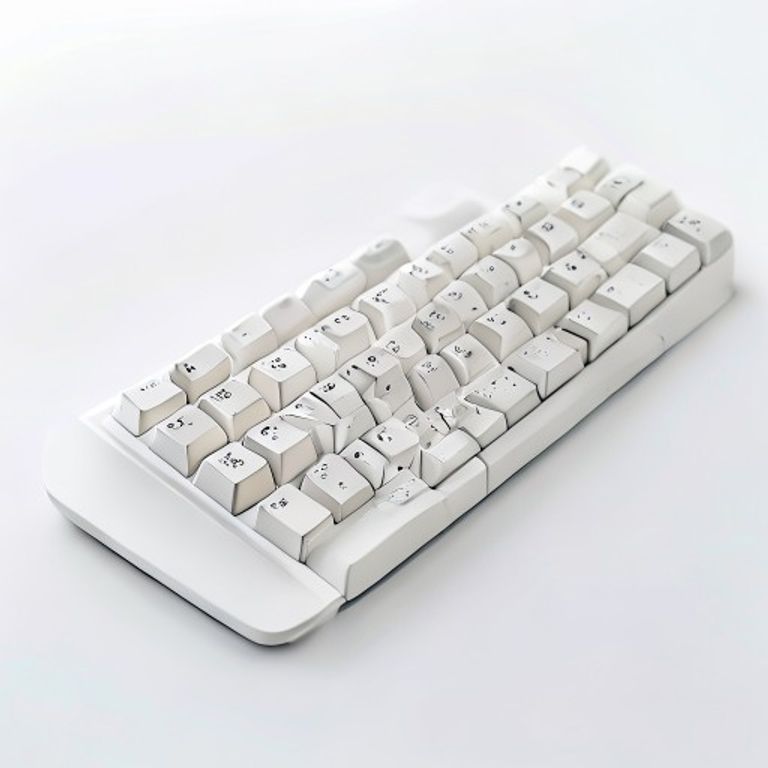
It’s compact, wireless, QMK/VIA programmable, hot-swappable, compatible with Mac and Windows out of the box, and available with a wide range of switch options. This review covers everything you need to know before buying.
🛒 Check Latest Price on Amazon
Keychron K2 Pro: Key Specs
What Makes the K2 Pro Special in a Crowded Market?
1. Hot-Swappable Switches — Customise Without Soldering
This is the feature that separates the K2 Pro from most keyboards at its level. Hot-swappable PCB means you can pull out any switch and install a different one without a soldering iron — just a switch puller. Not happy with the tactile bump of brown switches? Swap them out for linear reds or clicky blues in 10 minutes. It’s the kind of flexibility that mechanical keyboard enthusiasts pay a lot more for in custom builds, offered here in an accessible off-the-shelf package.
2. QMK/VIA — Full Key Remapping
The K2 Pro supports QMK and VIA firmware — the gold standard of keyboard programmability. Every key can be remapped, macros can be assigned to any key, layers can be created for different workflows, and the changes are stored on the keyboard itself (not on your computer). For developers who want custom shortcuts or creators who want media controls mapped exactly where they want them, this level of control genuinely changes how the keyboard feels to use.
3. Wireless and Wired — Your Choice
A Bluetooth 5.1 connection handles up to three devices with quick switching (great for desktop + laptop + tablet setups), while the USB-C wired mode gives zero-latency input for gaming or when wireless charging isn’t an option. Most mechanical keyboards offer one or the other — the K2 Pro gives you both.
4. Proper Mac Support, Finally
Most mechanical keyboards are designed for Windows and treat Mac as an afterthought. Keychron is the exception. The K2 Pro ships with both Mac and Windows keycap sets in the box, includes a physical switch to toggle between operating system modes (which remaps the Modifier keys correctly), and even puts Mac-specific labels on the relevant keys. It works better on Mac than Apple’s own Magic Keyboard for people who prefer a tactile mechanical typing experience.
5. 75% Layout — Compact Without Sacrificing the Keys You Need
The 75% layout retains a full number row, function key row, and dedicated arrow keys in a body that’s about 25% narrower than a full-size keyboard. For most programmers and writers, this is the sweet spot: you lose only the numpad and the rarely-used navigation cluster (Insert, Home, End, Page Up/Down) which are accessed via Fn combos instead.
What we like and what we do not
✅ Pros
- Hot-swappable — change switches without soldering
- QMK/VIA full programmability
- Bluetooth 5.1 + USB-C wired mode
- 3-device wireless multi-device switching
- Proper Mac AND Windows support (both keycap sets included)
- Per-key RGB backlight
- 4,000mAh battery — weeks of wireless use
- Premium aluminum frame + doubleshot PBT keycaps
❌ Cons
- Bluetooth adds ~1ms latency — not for competitive gaming
- No numpad — some workflows need it
- RGB drains battery faster
- Keychron’s stock stabilizers can rattle slightly (lubing fixes it)
K2 Pro vs Logitech MX Keys Mini: Which Keyboard Should You Buy?
If you want the best typing feel with maximum customizability, the K2 Pro wins. If you prefer a quiet, slim, no-fuss keyboard that pairs with the MX Master 3S via Logi Flow, the MX Keys Mini is the smarter pick.
Keychron K2 Pro questions
What switches should I choose for the Keychron K2 Pro?
For typing and programming: Gateron Brown (tactile, quiet) or Red (linear, smooth). For a clicky typing experience: Gateron Blue. If you’re unsure, brown switches are the most versatile starting point — and since the board is hot-swappable, you can always change them later without risk.
Is the Keychron K2 Pro good for gaming?
Wired mode is excellent for gaming — mechanical switches, no input lag, full rollover. Bluetooth mode adds minimal latency (~1ms) that most casual gamers won’t notice, but competitive FPS players should stick to wired.
Does the K2 Pro work with iPad?
Yes — Bluetooth connects to any iPad, and the Mac mode correctly maps Command and other modifier keys. It’s one of the better mechanical keyboard choices for iPad Pro users who want a proper typing experience.
How long does the battery last on the K2 Pro?
With RGB off, the 4,000mAh battery can last several weeks. With RGB at medium brightness, expect 5–10 days depending on usage. The USB-C cable charges it quickly, and you can use it wired while charging without interruption.
Can I use the Keychron K2 Pro with Linux?
Yes — as a standard HID USB device, it works on Linux natively in wired mode. Bluetooth connectivity on Linux varies by distribution and Bluetooth stack, but most modern setups handle it fine.
Should you buy the K2 Pro?
The Keychron K2 Pro is the mechanical keyboard we’d recommend to almost anyone asking for advice in 2026. It’s the rare product that works brilliantly out of the box for beginners (just plug in and type) while offering the deep customizability that enthusiasts crave (hot-swap switches, QMK/VIA, full RGB programming). Whether you’re a developer who wants exactly the right key feel, a writer who wants a more satisfying typing experience, or someone transitioning from a MacBook keyboard to something with genuine tactile feedback — the K2 Pro delivers. Rating: 4.8/5 ⭐
🛒 Check Latest Price on Amazon →
Affiliate Disclosure: This post contains affiliate links. We may earn a small commission if you purchase through our links at no extra cost to you. We only recommend products we genuinely trust and believe in. Read our full affiliate disclosure.
More gear we have written up
Other desk and travel kit covered on HN Solutions.