
Creative Pebble V3 Review: Clarity, Not Bass
A large, obvious improvement over laptop speakers for very little money — as long as you know what 100 Hz means.

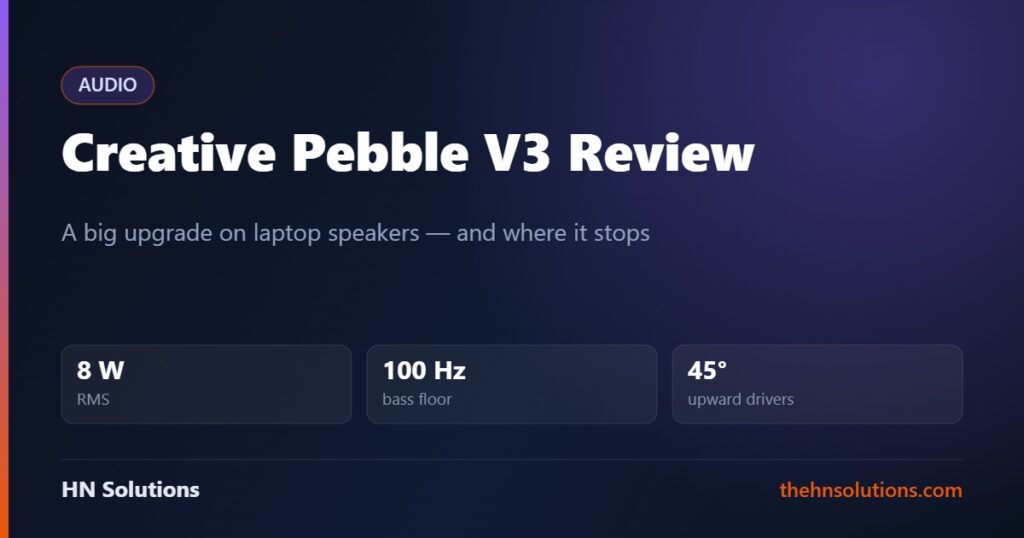
Almost nobody needs to be talked into better desk audio. What stops people is the suspicion that doing it properly costs real money. The Pebble V3 exists to end that argument — and understanding one number on its spec sheet tells you exactly what you are getting and what you are not.
This is a research-based buying guide, not a hands-on test. Read our review standards.
The short answer
Buy them if you are currently listening through laptop or monitor speakers. The step up is large, obvious, and costs less than a takeaway. One USB-C cable carries both power and audio.
The number that defines them is 100 Hz. That is where the bass stops — considerably higher than proper desk speakers. These are a clarity upgrade, not a bass upgrade.
100 Hz, and what it means
Frequency response starts at 100 Hz. For comparison, a bass guitar’s lowest note is about 41 Hz and a kick drum’s body sits around 60–80 Hz.
So the Pebble V3 does not reproduce the low end of a bass line or the weight of a kick drum. What it does reproduce — vocals, guitars, dialogue, everything in the midrange — it renders far more clearly than the tiny drivers inside a laptop.
The 45-degree baffles are not marketing
The drivers fire upward at 45 degrees rather than straight ahead. On a desk, that is the correct decision.
High frequencies are directional. A speaker sitting flat on a desk aims its treble at your chest, and you hear a dulled version. Angling the drivers up puts them closer to pointing at your ears, which recovers detail that would otherwise be lost to geometry.
It is the same problem that makes people prop up expensive speakers on wedges — solved here by the cabinet shape, at no extra cost.
The specification
| Specification | Creative Pebble V3 |
|---|---|
| Power output | 8 W RMS, 16 W peak |
| Drivers | 2.25in full range, custom tuned |
| Driver angle | 45° upward firing |
| Frequency response | 100 Hz – 17 kHz |
| Signal-to-noise ratio | 75 dB |
| Inputs | USB-C (audio and power), 3.5 mm AUX, Bluetooth 5.0 |
| Gain switch | On the base of the right speaker, for 10 W USB ports |
| Processing | Clear Dialog enhancement |
| In the box | USB-A adapter included |
The gain switch is the detail people miss
There is a switch on the underside of the right speaker. On a port that can supply 10 W, flipping it to high gain gives you meaningfully more volume and headroom.
Plenty of owners never find it and conclude the speakers are quiet. If you have a modern laptop or a powered hub, check the switch before you judge the volume.
One cable, which is the real selling point
USB-C carries power and digital audio at once. No mains adapter, no separate 3.5 mm cable, no wall socket. On a desk that is already a tangle, that matters more than a specification.
Bluetooth 5.0 is there for a phone, and a 3.5 mm input for anything else. A USB-A adapter is in the box for older machines.
Strengths and compromises
What they do well
- Enormous improvement over laptop and monitor speakers
- Single USB-C cable for power and audio
- 45° baffles aim treble at your ears, not your chest
- Bluetooth as well as wired
- Genuinely small footprint
- Gain switch gives real extra volume on capable ports
- Costs very little
What to think about first
- Nothing below 100 Hz — no real bass
- 8 W RMS is desk volume only
- 75 dB signal-to-noise is modest; some hiss at low levels
- No subwoofer output
- Plastic build appropriate to the price
- Not a step up from good desk speakers, only from bad ones
Who should buy them
Good fit
- You currently use laptop or monitor speakers
- Desk space and cables are both tight
- You mostly listen to speech, podcasts and calls
- You want an obvious improvement for very little
Look elsewhere
- Bass is what you are after
- You want to fill a room
- You already own decent powered speakers
- You need studio-accurate monitoring
What we could not assess
We have not measured output, distortion at volume or noise floor. All figures are Creative’s published specifications. The 45° baffle reasoning is standard acoustics rather than a measurement of this product.
Frequently asked questions
Do the Creative Pebble V3 have good bass?
No, and they do not claim to. Response starts at 100 Hz, above the fundamental range of a bass guitar or kick drum. They improve clarity in the midrange, which is where speech and most instruments live.
Why are mine so quiet?
Most likely the gain switch on the underside of the right speaker is set low. On a USB port that supplies 10 W, switching to high gain gives noticeably more volume. It is easy to miss during setup.
Do they need a separate power supply?
No. A single USB-C cable carries both power and digital audio. A USB-A adapter is included for older ports.
Pebble V3 or Audioengine A2+?
Different budgets entirely. The A2+ has larger Kevlar drivers, a built-in DAC, a subwoofer output and reaches down to 65 Hz. The Pebble V3 is the sensible answer if you are replacing laptop speakers; the A2+ is the answer if you want music to sound properly good.
Can I connect my phone?
Yes, over Bluetooth 5.0, or by cable to the 3.5 mm input. Bluetooth is convenient; the USB-C connection sounds better because it bypasses compression.
Are they good for gaming?
Fine for clarity and positional cues in the midrange. Explosions and low-end effects will lack weight, because there is nothing below 100 Hz to carry them.
- Audioengine A2+ — the considered step up
- Audio-Technica ATH-M50x — headphones instead
- Logitech Brio 300 — the other half of a call setup
- Rode NT-USB Mini — the input side
- Anker 7-in-1 USB-C hub — a powered port to drive them
Sources. Power output, driver size, frequency response, signal-to-noise ratio and connectivity are from Creative’s published specification for the Pebble V3. We have not tested this ourselves and do not claim to have.
Thinking of spending more? See Creative Pebble V3 vs Audioengine A2+ — the first jump is the big one.