
Anker 7-in-1 USB-C Hub Review: The Ports Your Laptop Lost

Heads up: this article contains affiliate links. If you buy through one we may earn a small commission, at no extra cost to you. It does not change what we recommend — see our affiliate disclosure.
Modern laptops are incredible — thin, powerful, light. But they’ve traded ports for thinness, and the trade-off gets exhausting fast. Most MacBooks and ultrabooks come with just two USB-C ports. That means you’re choosing between charging, an external drive, a monitor, and a memory card every single time you sit down. The Anker 7-in-1 USB-C Hub ends that juggling act completely.
How this review was put together. This is a research-based buying guide, not a hands-on test. It is built from manufacturer specifications, published measurements and documented owner feedback. Read our full review standards.
Where it sits on price Budget to mid-range
USB-C hubs are a commodity category with a wide spread. Anker prices above the unbranded end and below the Thunderbolt docks that carry their own power supply.
Check the current price on AmazonWe do not publish a figure here. Amazon changes prices constantly, and a number typed into an article is out of date within days — so the link goes to the live price instead.
It’s one of the most popular USB-C hubs on Amazon for good reason: it expands your laptop into a proper desktop-capable workstation using one cable, costs far less than Thunderbolt docks, and is compact enough to live in your bag permanently. Let’s break down exactly what you get.
🛒 Check Latest Price on Amazon
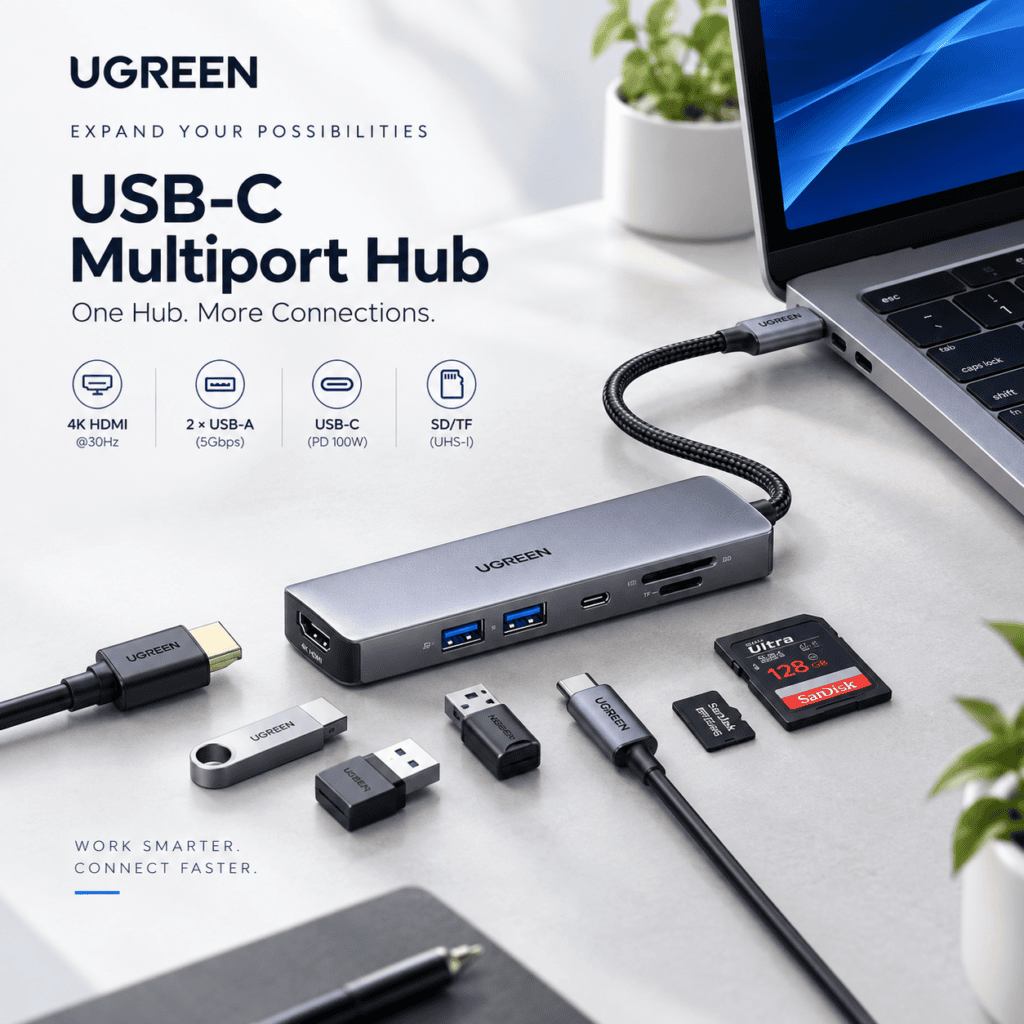
Anker 7-in-1 USB-C Hub: What’s Included
Anker sells this under the PowerExpand+ name as well, so if you have seen it listed as the Anker PowerExpand+ 7-in-1 USB-C hub, that is the same unit. The listing name changes by retailer and region more often than the hardware does.
Why This Hub Is Worth the Money
1. One Cable — Seven Ports
The entire point of a USB-C hub is simplicity, and the Anker 7-in-1 delivers exactly that. Plug the hub’s USB-C cable into your laptop, and you instantly have access to 4K HDMI output, three USB-A ports, SD and microSD readers, and 85W pass-through charging — all at once. What used to require multiple adapters scattered across your desk is now one compact aluminum brick that stays permanently connected.
2. 85W Pass-Through Charging — Keeps Your Laptop Topped Up
One concern with USB-C hubs is that they sometimes “steal” power from your laptop to run themselves. Anker’s hub supports 85W USB-C Power Delivery pass-through, meaning your laptop charges at near-full speed through the hub while all other ports stay active. For most MacBooks (which charge at 61W–96W depending on model), 85W is more than enough to maintain battery level during normal use.
3. 4K HDMI Output
Connect an external monitor or TV directly via HDMI at up to 4K resolution (30Hz) or 1080p at 60Hz for smooth video. Combined with the ASUS ZenScreen portable monitor, you can build a dual-monitor setup anywhere without carrying a second adapter.
4. SD and microSD — Essential for Photographers
Both full-size SD and microSD slots are included, and they run at SD 3.0 speeds (up to 104MB/s). Modern MacBooks have removed built-in SD card readers entirely, making this slot genuinely useful for photographers and videographers who need to offload content from cameras and drones regularly.
5. Premium Build — Not a Cheap Plastic Box
Anker made the hub from aluminum rather than plastic, which means it dissipates heat better (no throttling under load), feels premium on your desk, and matches the aesthetic of most modern laptops. At its price point, that build quality is a genuine differentiator.
Strong points and weak points
✅ Pros
- 7 ports from one USB-C connection
- 85W pass-through charging
- 4K HDMI output for external monitors
- Three USB-A 3.0 ports at 5Gbps
- SD + microSD readers at 104MB/s
- Premium aluminum build (not plastic)
- Compact — fits in any laptop bag
- Plug-and-play — no drivers needed
❌ Cons
- 4K limited to 30Hz (not 60Hz)
- Only one HDMI port — no dual monitor
- Gets warm under heavy multi-port load
- Not Thunderbolt 4 compatible
Who Needs This Hub?
- MacBook users — Apple’s latest laptops often ship with just two USB-C ports; this solves that immediately
- Remote workers and digital nomads — expand to a full desktop setup from any hotel room or co-working space
- Photographers and videographers — SD and microSD slots for direct camera offloads
- Students — connect projectors, USB drives, and charge simultaneously
- Anyone building a minimal desk setup — one hub instead of three separate adapters
This hub pairs naturally with a full remote work kit: the MX Master 3S mouse and MX Keys Mini keyboard via USB Bolt, the ZenScreen monitor via HDMI, and the Samsung T7 Shield SSD via USB-A — all running through one hub from a single cable on your laptop.
Questions about the Anker hub
Does the Anker USB-C Hub work with MacBook Air M3?
Yes — fully compatible with MacBook Air M3 and all current MacBook Pro models. 85W pass-through charging works, and all ports function as expected.
Can I connect two monitors through this hub?
No — this hub has a single HDMI output, supporting one external display. For dual-monitor setups, you’d need a Thunderbolt 4 dock (considerably more expensive) or a different hub with two display outputs.
Does the SD card and USB work at the same time?
Yes — all ports operate simultaneously. You can copy files from SD to USB drive, charge via USB-C, and output to HDMI all at the same time. Total bandwidth is shared across ports, but for typical productivity tasks this causes no noticeable slowdown.
Is 30Hz 4K noticeable vs 60Hz?
For static work like documents, coding, browsing, and design — 30Hz is fine and most people don’t notice. For video playback or any motion-heavy content, 60Hz feels noticeably smoother. If 60Hz 4K matters to you, look for a Thunderbolt dock that supports it.
Is this the hub to get?
The Anker 7-in-1 USB-C Hub is an easy recommendation for anyone using a modern thin-and-light laptop. It solves the port problem cleanly, charges reliably at 85W, includes everything most people actually need, and costs far less than the Thunderbolt docks that offer only modest advantages for typical use. It’s one of those purchases where you immediately wonder how you managed without it. Rating: 4.7/5 ⭐
🛒 Check Latest Price on Amazon →
Affiliate Disclosure: This post contains affiliate links. We may earn a small commission if you purchase through our links at no extra cost to you. We only recommend products we genuinely trust. See our full affiliate disclosure.
More gear we have written up
Other desk and travel kit covered on HN Solutions.