
How to Start a Blog and Actually Make Money From It

Blogging in 2026 is not dead — it’s evolved. While millions of blogs fail within the first year, thousands of new ones are quietly generating life-changing income for their creators every single month. The difference between the ones that fail and the ones that succeed? A clear strategy from day one. This guide gives you exactly that how to start a blog and earn from that.
Applied and stuck? If your AdSense site status has sat on “Getting ready” for weeks, the review may never have started — see what actually blocks it.
Can You Really Make Money Blogging in 2026?
Yes. But let’s be honest about what that looks like.

Blogging is not a get-rich-quick scheme. It is, however, one of the most powerful long-term income engines available to anyone with an internet connection. A well-built blog generates income through ads, affiliate commissions, digital products, and sponsorships — often while you sleep.
Here’s what real bloggers are earning in 2026:
| Blog Stage | Monthly Traffic | Monthly Income |
| Beginner (0–6 months) | 0–5,000 visitors | $0–$200 |
| Growing (6–12 months) | 5,000–30,000 visitors | $200–$1,500 |
| Established (1–2 years) | 30,000–100,000 visitors | $1,500–$8,000 |
| Authority (2+ years) | 100,000+ visitors | $8,000–$50,000+ |
These are realistic averages. The bloggers at the top didn’t get there with luck — they got there with consistency, strategy, and patience.
If you’re willing to treat your blog like a real business from day one, the income potential is genuinely life-changing.
What You Need Before You Start
Starting a blog in 2026 requires less than most people think:
- A blog niche (your topic)
- A domain name (your web address)
- Web hosting (where your blog lives online)
- A blogging platform (WordPress is the standard)
- A content plan (your first 5 article ideas)
- Time and consistency
That’s the complete list. No technical degree. No design experience. No large budget. Let’s go through each one.
Step 1: Choose Your Niche
Your niche is the specific topic your blog covers. This is the single most important decision you’ll make as a blogger — everything else flows from it.
What makes a good niche in 2026:
- You have a genuine interest or knowledge in the topic
- There’s a real audience searching for it
- It has monetization potential (affiliate products, ads, digital products)
- It’s specific enough to stand out but broad enough to sustain 100+ articles
Profitable blog niches in 2026:
- Personal Finance & Investing
- Technology & AI Tools
- Digital Marketing & Blogging
- Health & Wellness
- Online Business & Freelancing
- Travel (budget and luxury)
- Self-Improvement & Productivity
- Parenting & Family
The niche trap to avoid: Don’t choose a niche purely based on profit potential. If you don’t care about the topic, your content will reflect that — and readers will feel it. Choose something at the intersection of your interest and market demand.
Step 2: Choose a Domain Name
Rules for a great domain name:
- Keep it short — under 15 characters ideally
- Make it easy to spell and remember
- Avoid numbers, hyphens, and special characters
- Use .com if possible — it’s the most trusted extension globally
- Make it brandable — not stuffed with keywords
How to check availability: Go to Namecheap.com or your hosting provider’s domain search tool and type your desired name. If it’s taken, try variations.
Pro tip: Most web hosting providers offer a free domain name for the first year when you purchase a hosting plan — so don’t buy your domain separately until you check your host’s offer.
Step 3: Choose a Web Hosting Provider
Web hosting is the service that stores your blog’s files and makes them accessible on the internet. Think of it as renting space on a server where your blog lives 24/7.
Best hosting providers for beginner bloggers in 2026:
Hostinger — Best for Beginners on a Budget
Hostinger is our top recommendation for new bloggers. It offers:
- Extremely affordable pricing (plans start low)
- Free domain name for the first year
- One-click WordPress installation
- Fast loading speeds
- 24/7 customer support
- 30-day money-back guarantee
👉 Start your blog with Hostinger (affiliate link — we earn a small commission at no extra cost to you)
Step 4: Install WordPress
WordPress powers over 43% of all websites on the internet. It’s the industry standard for blogging — and for good reason. It’s free, flexible, powerful, and beginner-friendly.
How to install WordPress (takes under 5 minutes):
- Log in to your hosting account dashboard
- Find the “WordPress” or “Website” section
- Click “Install WordPress” or “One-Click Install”
- Choose your domain name
- Set your username and password
- Click Install — done
Both Hostinger and Bluehost offer one-click WordPress installation, so you don’t need any technical knowledge to get it running.
Step 5: Choose a Theme (Your Blog’s Design)
A WordPress theme controls how your blog looks. In 2026, your blog doesn’t need to look like a magazine — it needs to look clean, professional, and fast.
Best free themes for new bloggers:
- Astra — Lightweight, fast, highly customizable. Used by millions of blogs worldwide.
- GeneratePress — Extremely fast loading speeds, great for SEO
- Kadence — Modern design, beginner-friendly customization
- OceanWP — Feature-rich, professional look out of the box
How to install a theme: WordPress Dashboard → Appearance → Themes → Add New → Search for your theme → Install → Activate
Design tip: Don’t spend weeks perfecting your design. Pick a clean theme, set your colors and logo, and start publishing. Content matters infinitely more than design for new blogs. You can always redesign later.
Step 6: Install Essential Plugins
Plugins add functionality to your WordPress blog. Think of them as apps for your website. Here are the ones every new blogger needs:
| Plugin | Purpose | Cost |
| Rank Math SEO | Optimize every post for search engines | Free |
| Akismet | Block spam comments automatically | Free |
| WP Super Cache | Speed up your blog’s loading time | Free |
| Smush | Compress images without losing quality | Free |
| MonsterInsights | Connect Google Analytics to your blog | Free |
| Pretty Links | Clean up and track affiliate links | Free |
How to install plugins: WordPress Dashboard → Plugins → Add New → Search → Install → Activate
Important: Don’t install too many plugins. Each one adds weight to your site. Stick to the essentials above when starting out.
Step 7: Set Up Key Pages
Before publishing your first article, create these essential pages. They signal to both readers and Google that your blog is a legitimate, trustworthy resource.
Pages every blog needs:
- About Page — Who you are, what your blog is about, why readers should trust you
- Contact Page — A simple form or email address for readers and brands to reach you
- Privacy Policy — Required by law if you collect any data (Google Analytics counts). Use a free generator at PrivacyPolicyGenerator.info
- Disclaimer Page — Disclose affiliate relationships legally and transparently
These pages take less than an hour to create and are non-negotiable for a professional blog.
Step 8: Write and Publish Your First Articles
Now the real work begins — and the real fun.
What to write for your first 5 articles:
Your first articles should establish your blog’s topic clearly and provide genuine value to readers. Don’t overthink it. Start with what you know.
For a blog in the online earning / AI / digital marketing space, your first articles might look like:
- What is Affiliate Marketing? (Beginner’s Guide)
- Best AI Tools for Beginners in 2026
- How to Make Money Online in 2026
- How to Start a Blog in 2026 (this article!)
- How to Make Money on Fiverr Using AI
The anatomy of a great blog post in 2026:
- Compelling headline — Specific, benefit-driven, includes the year
- Strong introduction — Hook the reader in the first 3 sentences
- Clear structure — H2 and H3 subheadings break up the content
- Practical value — Tell readers exactly what to do, not just what is
- Internal links — Link to your other relevant articles
- Call to action — Tell readers what to do next (read another article, subscribe, share)
How long should articles be? For beginner blogs targeting competitive topics, aim for 1,500–2,500 words per article. Longer, comprehensive content outranks thin content in Google’s eyes — especially in 2026, where AI-generated fluff is everywhere.
How often should you publish? Consistency beats frequency. One high-quality article per week is far better than five mediocre ones. Set a schedule you can sustain and stick to it.
Step 9: Set Up Google Tools (Free and Essential)
These two free Google tools are non-negotiable for any serious blogger:
Google Search Console
Tells you exactly how your blog appears in Google search results — which keywords you’re ranking for, how many clicks you’re getting, and any technical issues affecting your rankings.
How to set it up: Go to search.google.com/search-console → Add your blog URL → Verify ownership → Submit your sitemap
Google Analytics 4
Shows you who is visiting your blog, where they’re coming from, which articles they’re reading, and how long they’re staying.
How to set it up: Go to analytics.google.com → Create account → Add your blog → Install the tracking code (MonsterInsights plugin makes this simple)
Check both tools weekly. Data tells you what’s working — and what to write more of.
Step 10: Monetize Your Blog
This is what you’ve been waiting for. Here are the main monetization methods available to bloggers in 2026:
Display Advertising
Place ads on your blog and earn money every time a visitor sees or clicks them.
- Google AdSense — Best for beginners, apply after publishing 10–15 articles
- Ezoic — Great alternative if AdSense takes time, accepts newer sites
- Mediavine — Premium network requiring 50,000 monthly sessions (a future goal)
Affiliate Marketing
Add affiliate links naturally within your articles. When readers click and purchase, you earn a commission.
Best affiliate programs for bloggers:
- Amazon Associates (physical products)
- Hostinger / Bluehost (hosting — $65–$150 per sale)
- ShareASale (thousands of merchants)
- ClickBank (digital products, high commissions)
- Canva and Grammarly (tools you already use and recommend)
Digital Products
Create and sell ebooks, templates, prompt packs, or mini-courses directly through your blog. 100% profit margin, zero inventory.
Sponsored Content
Brands pay you to write articles featuring their products. This becomes available as your traffic grows — typically after reaching 10,000+ monthly visitors.
How to Drive Traffic to Your New Blog
A blog without traffic earns nothing. Here’s how to get your first visitors:
Search Engine Optimization (SEO): The most powerful long-term traffic source. Optimize every article with relevant keywords, proper headings, internal links, and fast loading speeds. Results take 3–6 months but compound over time.
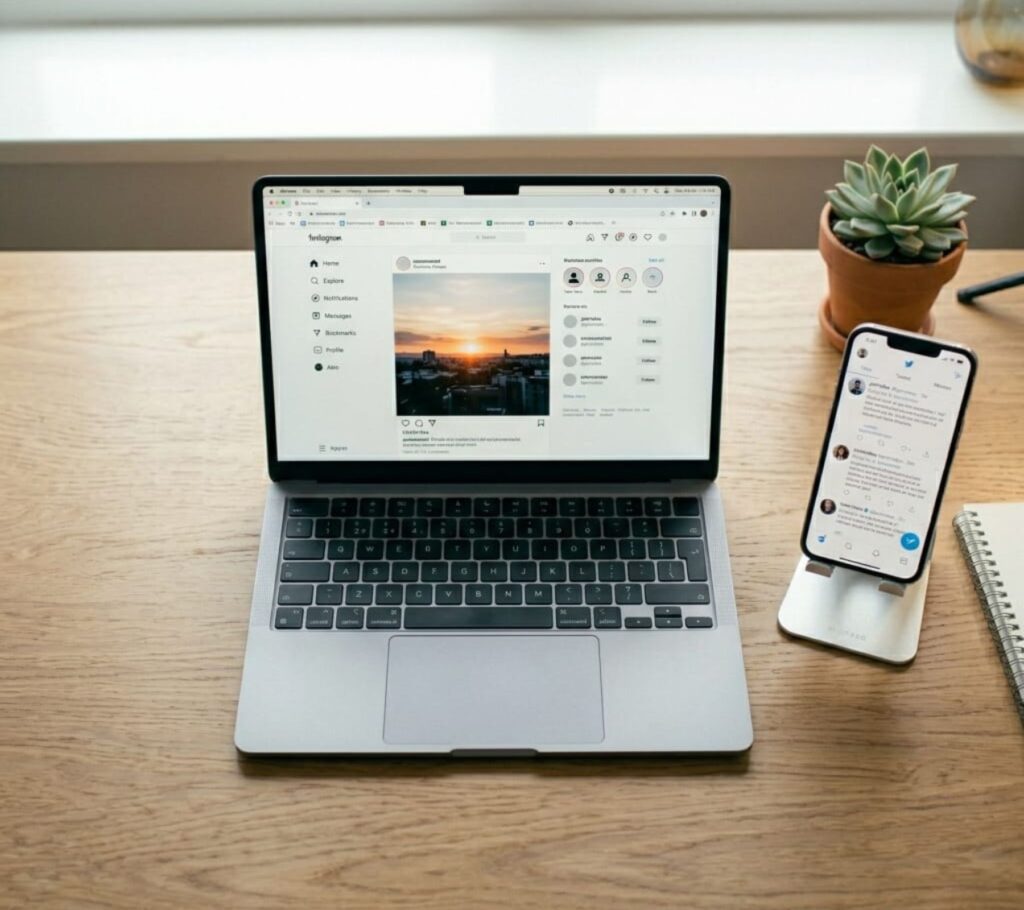
Pinterest: Create visual pins for every article using Canva and post them on Pinterest. Pinterest drives significant blog traffic — especially in lifestyle, finance, and how-to niches — and results come faster than Google SEO.
Facebook Groups: Join relevant Facebook groups in your niche and share your articles when appropriate. Provide value first, promote second.
Email Newsletter: Build an email list from day one using Mailchimp (free). Every subscriber is a guaranteed reader for every future article — regardless of algorithm changes.
Repurpose Content: Turn your blog articles into YouTube Shorts, Instagram Reels, or TikTok videos using Pictory. One article becomes five pieces of content across five platforms.
Common Blogging Mistakes to Avoid
One worth settling early: whether to monetise with ads, affiliate links, or both. The trade-offs are laid out in AdSense vs affiliate marketing.
Choosing a topic that’s too broad, “Lifestyle” or “everything” blogs, confuse Google and readers. Pick a specific niche and own it.
Prioritizing design over content. No one returns to a blog for its color scheme. They return for valuable, helpful content.
Publishing inconsistently: Three articles in week one, then nothing for a month — this kills momentum and confuses Google’s crawlers. Consistency is everything.
Ignoring SEO from the start, you don’t need to be an SEO expert, but you do need to install Rank Math, write clear headings, and link your articles to each other from day one.
Quitting too early. Most bloggers quit within the first three months — right before the results start showing. The 6-month mark is where blogging starts to reward patience.
Your 30-Day Blog Launch Checklist
Week 1:
- [ ] Choose your niche
- [ ] Buy domain + hosting (Hostinger or Bluehost)
- [ ] Install WordPress
- [ ] Install Astra theme
- [ ] Install essential plugins
- [ ] Create About, Contact, Privacy Policy pages
Week 2:
- [ ] Write and publish Article #1
- [ ] Set up Google Search Console
- [ ] Set up Google Analytics
- [ ] Create a Pinterest account
- [ ] Share article in 2–3 Facebook groups
Week 3:
- [ ] Write and publish Article #2
- [ ] Apply for Amazon Associates
- [ ] Add affiliate links to existing articles
- [ ] Create Canva pins for Pinterest
Week 4:
- [ ] Write and publish Article #3
- [ ] Apply for Google AdSense
- [ ] Start email list with Mailchimp
- [ ] Review Google Search Console for early data
Final Thoughts: Your Blog Is a Business — Treat It Like One

The bloggers who fail treat blogging like a hobby — posting when they feel like it, changing niches every month, and quitting when results don’t appear overnight.
The bloggers who succeed treat it like a business — publishing on schedule, tracking their data, reinvesting their early earnings, and thinking long-term.
You now have everything you need to start. The domain, the hosting, the platform, the content strategy, the monetization plan — it’s all here.
The only thing left is to begin.
Set up your blog today. Write your first article this week. Publish it before the weekend. Then come back and do it again.
Six months from now, your blog could be earning its first consistent income. A year from now, it could be changing your financial situation entirely.
But only if you start.
🛠️ Want Us to Set Up Your Blog For You?
We get it — reading a step-by-step guide is one thing. Actually setting everything up is another.
If you’d rather skip the technical side and have your blog professionally set up from day one, we’ve got you covered.
Here’s what we set up for you:
- Domain registration and hosting configuration
- WordPress installation and speed optimization
- Professional theme setup and customization
- All essential plugins installed and configured
- Google Search Console and Analytics integration
- Basic SEO structure ready for your first article
You focus on writing. We handle everything else.
Best Remote Jobs for beginners
📚 More Helpful Guides from TheHNSolutions: