
Anker 7-in-1 Hub vs CalDigit TS4: Do You Need a Dock?
One costs about a tenth of the other. Working out which group you are in takes two minutes and saves a lot of money.

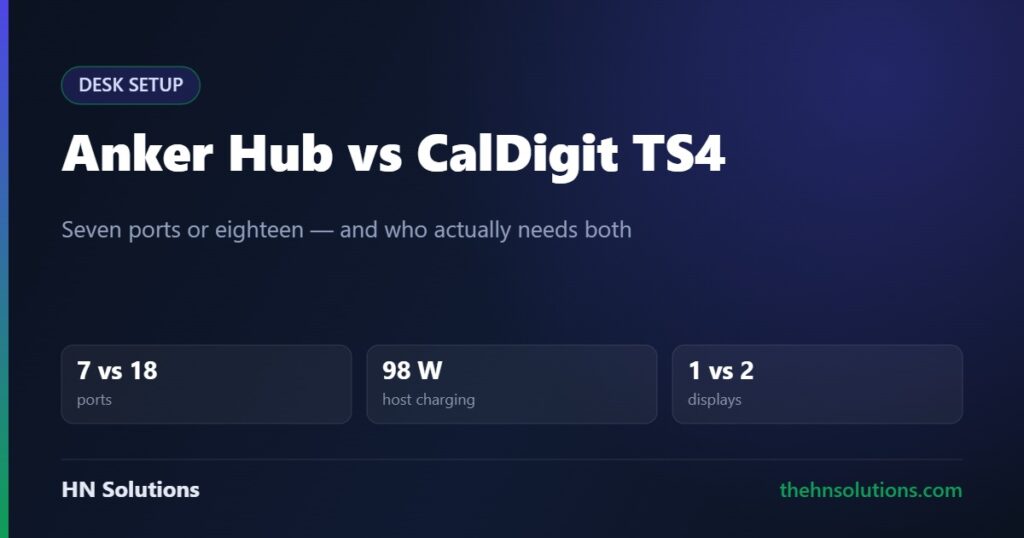
One of these costs about a tenth of the other, and for a large share of people it does the whole job. Working out which group you are in takes about two minutes and saves a lot of money — or stops you buying something that will frustrate you within a month.
This is a research-based comparison, not a hands-on test. Read our review standards. Full write-ups: Anker 7-in-1 hub and CalDigit TS4.
The short answer
Anker 7-in-1 hub if you have a laptop, one screen and a few peripherals. It is bus-powered, fits in a bag, and covers the common case for a fraction of the money.
CalDigit TS4 if one cable has to run a fixed desk. Two monitors, wired network, card readers and a laptop that stays charged under load. That is a different job and a hub cannot do it.
Side by side
| Anker 7-in-1 Hub | CalDigit TS4 | |
|---|---|---|
| Ports | 7 | 18 |
| Interface | USB-C | Thunderbolt 4, 40 Gb/s |
| Power to laptop | Pass-through, limited | 98 W |
| Own power supply | No, bus-powered | Yes, mains adapter |
| Displays | One, via HDMI | Up to two, machine permitting |
| Ethernet | None | 2.5 GbE |
| Card readers | SD and microSD, UHS-I class | SD and microSD, UHS-II |
| USB-A ports | 2 | 5, at 10 Gb/s |
| Downstream Thunderbolt | None | 2, at 15 W each |
| Audio | None | In and out, front and rear |
| Portable | Yes | No, desk-bound |
| Drivers needed | No | No |
The three questions that decide it
1. Does your laptop stay charged while you work?
This is the one that sends people from a hub to a dock. A bus-powered hub passes some power through, but a laptop under sustained load can draw more than it receives — so the battery slowly falls while plugged in.
The TS4 delivers 98 W to the host, the highest figure available from a Thunderbolt 4 dock. That comfortably covers most 13 to 16-inch laptops at full load rather than only at idle.
2. Do you need two monitors?
The hub drives one display over HDMI. The TS4 can drive two, through its DisplayPort output and a downstream Thunderbolt port.
But this is set by your computer, not the dock. Base M-series Apple Silicon MacBooks support only one external display over Thunderbolt, and no dock changes that without DisplayLink software. Confirm what your specific machine supports before buying anything to solve it.
3. Do you offload camera cards?
Both have card slots, but they are not equivalent. UHS-II uses a second row of pins and carries substantially more bandwidth than the UHS-I readers found on most hubs.
If you shoot regularly, that difference shows up on every transfer. If you have not touched an SD card in years, it costs you nothing.
What the hub does better
Two things, and they are not trivial.
It travels. Bus-powered, pocket-sized, no mains adapter. A dock is furniture — it stays on the desk. If you work from cafes, client offices or a co-working space, the hub is the one that actually comes with you.
It costs a fraction as much. For a laptop, one monitor, a keyboard, a mouse and occasional charging, the hub delivers the full job. The dock’s extra capability is real, but you only pay for it usefully if you reach it.
The middle ground worth knowing about
If the hub is not enough but the TS4 is more than you need, there is a tier between them. The OWC Thunderbolt Dock offers 11 ports and 90 W of host charging for meaningfully less, leaving out card readers, 2.5-gigabit ethernet and a dedicated DisplayPort.
If none of those three matter to you, that is the sensible landing spot.
Which should you buy?
Anker 7-in-1 Hub
- Laptop, one screen, a few peripherals
- You move between places and want ports in a bag
- Your laptop charges adequately already
- You rarely touch memory cards
- Budget matters
CalDigit TS4
- A fixed desk, one cable, everything connected
- Two monitors and a machine that supports them
- Wired network, or a NAS you move files to
- You offload camera cards weekly
- Your laptop discharges while plugged into a hub
What this comparison cannot tell you
We have not measured sustained throughput across simultaneous ports, tested thermals under load, or run either through months of sleep-and-wake cycles — the failure mode dock owners complain about most and the hardest thing to judge from a specification.
All figures above are the manufacturers’ published specifications.
Frequently asked questions
Is a Thunderbolt dock worth it over a USB-C hub?
Only if you are hitting a limit. If your hub already handles your monitor, peripherals and charging, a dock adds cost and desk space rather than capability. Buy one when a hub has actually failed you, not in anticipation.
Why does my laptop lose charge when plugged into a hub?
Because the hub passes through less power than the laptop draws under load. A dock delivering 90 to 98 W to the host solves it; anything around 60 W often does not.
Will either run two external monitors?
The hub, no — it has a single HDMI output. The TS4 can, but only if your computer supports two external displays. Base Apple Silicon MacBooks are limited to one regardless of the dock.
Do I need Thunderbolt on my laptop for the TS4?
For full bandwidth and the display options, yes. It works over USB-C but you lose the 40 Gb/s link. Without Thunderbolt or USB4, a hub makes far more sense.
Are the card readers really different?
Yes. The TS4’s are UHS-II, an interface with a second pin row carrying considerably more bandwidth than the UHS-I readers on most hubs. You need UHS-II cards to see the benefit.
Can I take the TS4 with me?
Not practically. It needs its mains adapter for full host charging and is sized to live on a desk. The hub is the portable one.
- Anker 7-in-1 USB-C hub review
- CalDigit TS4 review
- OWC Thunderbolt Dock — the middle tier
- Samsung T7 Shield — storage for a spare port
- Gigabyte M27Q — a monitor with its own KVM
Sources. Port counts, power delivery and card reader specifications are the manufacturers’ own published figures for the Anker 7-in-1 USB-C hub and the CalDigit TS4. We have not tested either product and do not claim to have. Primary source: CalDigit’s TS4 product page.
Or skip the dock entirely: the Dell U2724DE builds one into the monitor.