Steam Deck OLED Review: A Better Screen, Not a Faster Chip
Valve discontinued the LCD, making OLED the entry point. It is a better screen and a longer battery — not more frames.

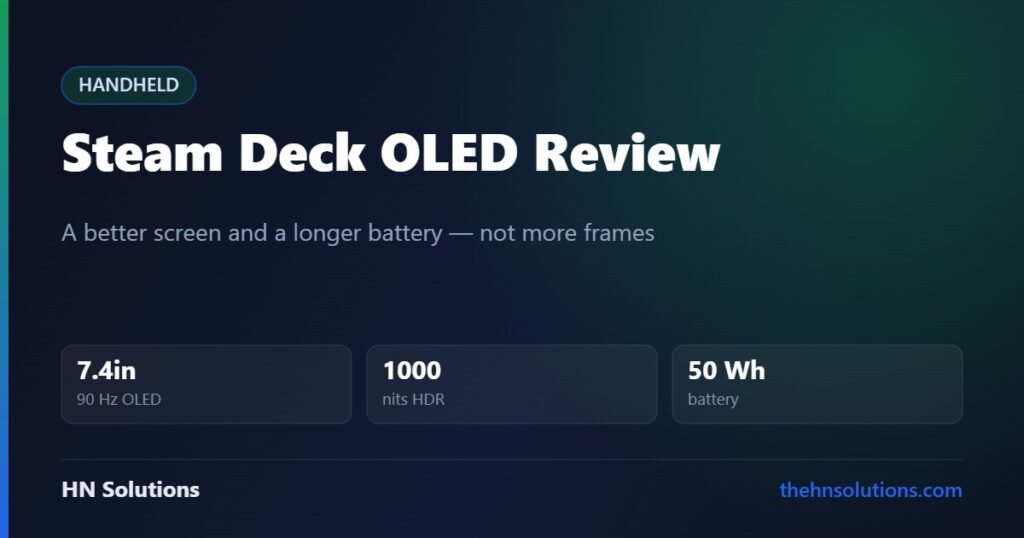
Valve discontinued the LCD Steam Deck during 2026, which quietly made the OLED model the entry point rather than the upgrade. That changes how you should think about it — and it makes one long-standing misconception worth clearing up first, because it decides whether this is the right handheld for you.
This is a research-based buying guide, not a hands-on test. It draws on Valve’s published specification and on independent reporting, with sources at the end. Read our review standards.
The short answer
Buy it if you already have a Steam library and want the least troublesome way to play it away from a desk. SteamOS boots into a console interface, tells you which games are verified to work, and asks nothing of you.
Look elsewhere if you need Windows. Game Pass, and competitive multiplayer titles that use kernel-level anti-cheat, are the two things SteamOS genuinely cannot give you.
The misconception worth clearing up
The OLED is not a performance upgrade. It runs the same AMD Zen 2 CPU and RDNA 2 GPU architecture as the LCD model. What changed is the manufacturing process — 6 nm instead of 7 nm — which makes the chip more efficient rather than faster.
That is not a criticism. Efficiency is what a handheld actually needs, and the combination of a cooler chip and a bigger battery is what produces the single biggest real-world improvement in the product.
What Valve actually changed
| Specification | Steam Deck LCD | Steam Deck OLED |
|---|---|---|
| Display | 7.0in LCD | 7.4in OLED |
| Refresh rate | 60 Hz | 90 Hz |
| Peak brightness | ~400 nits | 1000 nits (HDR) |
| HDR | No | Yes |
| Resolution | 1280 × 800 | 1280 × 800 |
| APU process | 7 nm | 6 nm |
| CPU / GPU architecture | Zen 2 / RDNA 2 | Zen 2 / RDNA 2 |
| Memory | 16 GB LPDDR5 | 16 GB LPDDR5, faster |
| Battery | 40 Wh | 50 Wh |
| Wi-Fi | Wi-Fi 5 | Wi-Fi 6E |
| Weight | 669 g | 640 g |
| Status in 2026 | Discontinued | Current |
The screen is the reason to want one
Going from a 400-nit LCD to a 1000-nit HDR OLED is not a subtle change. On an LCD, a dark game is grey. On OLED, individual pixels switch off, so black is black and a torch beam in a cave has actual contrast against it.
The panel also grew from 7.0 to 7.4 inches inside the same chassis, by shrinking the bezels. Same resolution, slightly lower pixel density, noticeably more screen — a good trade on a device held at arm’s length.
The jump from 60 Hz to 90 Hz matters less than the brightness for most people, because these are not frame rates this hardware hits in demanding games. Where it does help is menus, 2D and indie titles, and anything you can cap at 45 fps for a smooth, even cadence.
Battery: the change you feel daily
A 50 Wh battery plus a more efficient chip is what produces Valve’s claim of 30–50% longer runtime. The published range is 3 to 12 hours, which is honest precisely because it is so wide.
SteamOS: the real product
The hardware is competent. The software is why people keep recommending this over more powerful rivals.
SteamOS boots straight into a console-style interface. There is no desktop to fight, no driver to chase, no launcher stack to manage. Valve’s Deck Verified programme labels each game — Verified, Playable, Unsupported — so you know before you buy whether it will work.
Underneath, Proton translates Windows games to Linux, and it works far better than that description suggests. A desktop mode is there if you want it, and most owners never open it.
The two things SteamOS cannot do
Kernel-level anti-cheat. Several large competitive multiplayer games use anti-cheat that refuses to run on Linux. This is a publisher decision, not a Valve bug, and no amount of tinkering fixes it. If your main game is on that list, the Deck is the wrong purchase — check its Deck Verified status before buying, not after.
Game Pass and other Windows storefronts. You can install Windows on a Deck, but then you lose the thing you bought it for. If your library lives outside Steam, a Windows handheld like the ROG Ally X is the more sensible starting point.
Strengths and compromises
What it does well
- OLED panel with real black levels and 1000-nit HDR highlights
- Genuinely long battery life on lighter games
- SteamOS removes almost all the setup friction
- Deck Verified tells you what works before you spend money
- Comfortable to hold for long sessions — trackpads included
- User-serviceable, with official parts available
- Lighter than the LCD it replaces
What to think about first
- Not faster than the LCD — same CPU and GPU architecture
- Anti-cheat blocks some major multiplayer titles
- No Game Pass without abandoning SteamOS
- 1280 × 800 is modest if you want sharp text
- Demanding modern games need settings turned down
- Valve raised prices during 2026
- Large in a bag — this is not a Switch
Is a successor about to make this obsolete?
No, and the reason is worth knowing. Valve has been open that a successor is in development and equally open that it is waiting on silicon — it wants a chip that performs well under about 10 watts, and says nothing currently shipping hits that target cleanly.
There is no announced name, date or reveal. Buying now is not buying weeks before a replacement.
Who should buy it
Good fit
- You have a Steam library you already want to play
- You want a console experience, not a small PC to administer
- You play a lot of indie, 2D and older titles — where battery life shines
- You value repairability and official spare parts
Look elsewhere
- Your main game uses kernel-level anti-cheat
- Game Pass is central to how you play
- You want maximum frame rate per pound
- You mostly play at a desk — a monitor and a mouse will serve you better
A note on price
Valve adjusted Steam Deck OLED pricing during 2026 and discontinued the cheapest LCD model, so the entry point today is higher than it was at launch. We are not going to print a figure that will be wrong next month — Valve sells it directly, and their store shows the current price for each storage tier.
The practical advice: storage is the only meaningful difference between tiers, and a microSD card covers most of that gap for a fraction of the price.
What we could not assess
We have not measured frame rates, battery drain under load, panel brightness or thermals. The performance characterisation above is drawn from Valve’s published specification and from outlets that do run those tests, and we have said plainly where Valve’s marketing and independent findings diverge.
Frequently asked questions
Is the Steam Deck OLED more powerful than the LCD?
No. Both use the same Zen 2 CPU and RDNA 2 GPU architecture. The OLED’s chip is built on a 6 nm process instead of 7 nm, which makes it more efficient, not faster. Frame rates are effectively unchanged.
Can it run Game Pass?
Not on SteamOS. Cloud streaming works through a browser, but installing Game Pass titles locally requires Windows, and installing Windows costs you the console-like experience that makes the Deck worth owning.
Why won’t some multiplayer games run?
Several use kernel-level anti-cheat that publishers have not enabled for Linux. It is a policy decision rather than a technical limitation of the hardware. Check a game’s Deck Verified status on its Steam page before buying.
How long does the battery actually last?
Valve’s published range is 3 to 12 hours. Light 2D and indie games sit near the top, demanding 3D titles near the bottom. Capping the frame rate and lowering brightness makes a large difference.
Is a Steam Deck 2 coming soon?
Valve has confirmed a successor is in development but has announced no name, date or reveal event, and has said it is waiting for a chip that performs efficiently at very low power. Nothing suggests an imminent launch.
Should I buy the bigger storage tier?
Only if you install many large games at once. The tiers differ mainly by SSD capacity, and a fast microSD card covers most of the shortfall far more cheaply. Game load times are slightly slower from a card, not dramatically so.
- ASUS ROG Ally X — the Windows handheld alternative
- Samsung T7 Shield — external storage that survives a bag
- Anker 737 power bank — 140 W, enough to charge a Deck
- ASUS ZenScreen — docked play away from home
- Sony XM6 vs XM5 — headphones for the flight it is going on
Sources. Hardware specifications are Valve’s own published figures, available on the Steam Deck store page. Pricing changes and the LCD discontinuation are drawn from industry reporting during 2026. We have not tested this ourselves and do not claim to have.
Cross-shopping the ROG Ally X? See Steam Deck OLED vs ROG Ally X.