Steam Deck OLED vs ROG Ally X: The Real Decision Is the OS
These two get compared on frame rates, which is the least useful thing to compare them on. One runs Windows and one does not.

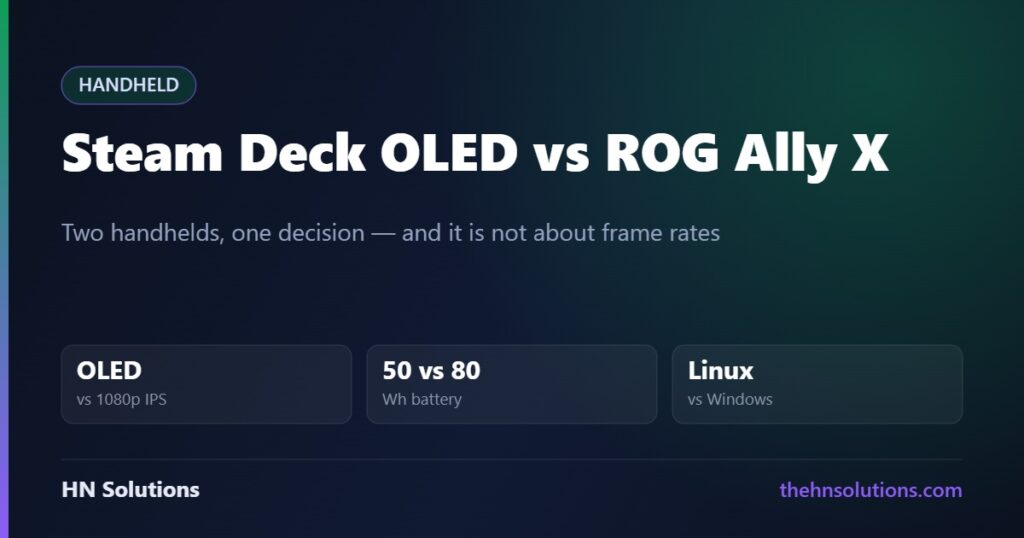
These two handhelds get compared on frame rates, and frame rates are the least useful thing to compare them on. One runs Windows and one does not, and that single fact decides the purchase for most people before a benchmark is opened.
This is a research-based comparison built from both manufacturers’ published specifications, not a hands-on test. Read our review standards. Full write-ups: Steam Deck OLED and ROG Ally X.
The short answer
Steam Deck OLED if your games are on Steam and you want a console. Better screen, longer battery, no maintenance, and a verification system that tells you what works before you buy.
ROG Ally X if you need Windows. Game Pass, storefronts outside Steam, and competitive games with kernel-level anti-cheat only run here. You pay for it in battery life and in having a PC to administer.
Side by side
| Specification | Steam Deck OLED | ROG Ally X |
|---|---|---|
| Operating system | SteamOS 3 (Linux) | Windows 11 |
| CPU | Zen 2, 4 cores | Zen 4, 8 cores |
| GPU | RDNA 2 | RDNA 3 |
| Memory | 16 GB LPDDR5 | 24 GB LPDDR5X |
| Display | 7.4in OLED | 7.0in IPS |
| Resolution | 1280 × 800 | 1920 × 1080 |
| Refresh rate | 90 Hz | 120 Hz |
| Peak brightness | 1000 nits, HDR | ~500 nits, no HDR |
| Battery | 50 Wh | 80 Wh |
| Storage | 512 GB / 1 TB NVMe | 1 TB NVMe (M.2 2280) |
| Weight | 640 g | ~678 g |
| Wi-Fi | Wi-Fi 6E | Wi-Fi 6E |
| Trackpads | Yes, two | No |
The Ally X is faster. It is not faster for free.
On paper this is not close. Zen 4 against Zen 2 is two full architecture generations. RDNA 3 against RDNA 2 is one. The Ally X has 50% more memory, on a faster standard, and a 1080p panel to use the extra headroom.
The cost is power. A bigger battery sitting behind a much hungrier chip does not produce proportionally longer runtime — it partly compensates for it. The Ally X carries 60% more battery capacity than the Steam Deck OLED and does not deliver 60% more playing time, because the silicon drawing from it is doing considerably more work.
The screen argument goes both ways
The Deck’s panel is OLED with HDR and 1000-nit peaks. The Ally X’s is a 1080p IPS at 120 Hz. Neither is straightforwardly better.
OLED wins on contrast. Individual pixels switch off, so black is genuinely black. In a dark game the difference is not subtle, and HDR highlights have real punch. An IPS panel renders the same scene as dark grey.
1080p wins on sharpness. On a seven-inch screen, 1080p against 800p is a visible step up in text clarity and fine detail. If you play text-heavy strategy games, or anything where you are reading UI at length, that matters more than contrast.
120 Hz is mostly theoretical. Neither device sustains 120 fps in demanding titles. It helps in menus, 2D games and older titles, and the Ally X’s variable refresh rate does more for perceived smoothness than the peak number does.
The decision nobody can make for you
SteamOS: less friction, fewer games
SteamOS boots into a console interface. No desktop, no driver updates, no launcher stack. Valve’s Deck Verified labels tell you whether a game works before you spend money on it. Proton translates Windows games to Linux, and it does so far better than that sentence implies.
What it cannot do: games using kernel-level anti-cheat that publishers have not enabled for Linux, and Game Pass installed locally. Both are policy decisions by other companies, and neither can be worked around.
Windows: everything runs, and you maintain it
The Ally X runs anything a Windows PC runs — every storefront, every anti-cheat, Game Pass included. That is a genuinely large advantage and the main reason to choose it.
In exchange you get Windows on a seven-inch touchscreen. Updates that arrive mid-session, launchers competing for focus, driver management, and a desktop interface that was never designed for a device held in two hands. ASUS’s Armoury Crate front end smooths a lot of this. It does not remove it.
Trackpads, which sound trivial and are not
The Steam Deck has two trackpads. The Ally X has none. For action games this is irrelevant. For strategy games, city builders, point-and-click adventures and anything built around a mouse, it is the difference between playable and not.
If a meaningful share of your library was designed for a mouse, this single feature may outweigh everything else on the spec sheet.
Which one should you buy?
Choose the Steam Deck OLED
- Your library is on Steam
- You want to press a button and play
- You play a lot of indie, 2D and older titles
- Battery life matters more than settings
- You play mouse-driven genres
- Repairability and official spare parts appeal
Choose the ROG Ally X
- Game Pass is central to how you play
- Your main game uses kernel-level anti-cheat
- You buy from Epic, GOG, Battle.net or Xbox as well as Steam
- You want the highest settings a handheld can manage
- Sharper text is worth more to you than deeper blacks
- You are comfortable maintaining a Windows machine
A note on newer models and on price
ASUS has since released a further variant built around a newer AMD chip, so check which generation you are being offered before you buy — the comparison above concerns the ROG Ally X we reviewed. Valve, meanwhile, discontinued the LCD Steam Deck during 2026 and adjusted OLED pricing, which moved the entry point upward.
We are not printing figures that will be wrong next month. Both are sold directly by their manufacturers, and those stores show the current price.
What this comparison cannot tell you
We have not benchmarked either device, measured battery drain under matched settings, or compared the panels side by side. Everything above is drawn from published specifications and from the architectural differences those specifications imply.
The performance gap is the one claim we would most want measured rather than inferred. Two architecture generations is a large difference on paper; how much of it survives a 25-watt power budget in a handheld chassis is a question for people with test equipment.
Frequently asked questions
Which has better battery life?
The Steam Deck OLED, in most real use. The Ally X carries a larger 80 Wh battery, but its Zen 4 and RDNA 3 silicon draws considerably more power, so the extra capacity does not translate into proportionally longer sessions.
Can the Steam Deck run Game Pass?
Not installed locally on SteamOS. Cloud streaming works through a browser. Installing Windows on a Deck restores Game Pass but removes the console-like experience that makes the Deck worth choosing.
Is 1080p better than OLED on a 7-inch screen?
They are different advantages. 1080p gives sharper text and finer detail; OLED gives true blacks, HDR and much higher peak brightness. Text-heavy games favour the Ally X, atmospheric and dark games favour the Deck.
Which is better for a beginner?
The Steam Deck, comfortably. It boots into a console interface, labels which games are verified to work, and asks nothing of you. The Ally X is a small Windows PC and expects to be treated as one.
Do I really need the trackpads?
Only if you play games designed for a mouse — strategy, management, point-and-click. For those genres they are close to essential. For action games you will rarely touch them.
Is the Ally X actually much faster in practice?
It has a meaningfully higher ceiling on paper — two CPU generations and one GPU generation ahead, with more and faster memory. How much of that survives a handheld power budget is something we would want measured rather than assumed.
- Steam Deck OLED review
- ASUS ROG Ally X review
- Samsung T7 Shield — external storage for either
- Anker 737 power bank — 140 W, charges both
- Sony XM6 vs XM5 — headphones for the same journey
Sources. Specifications are taken from Valve’s published figures for the Steam Deck OLED and from ASUS ROG’s specification for the ROG Ally X. We have not tested this ourselves and do not claim to have.