
Word Count: The Ideal Length for Everything You Write
The exact character and word limits for Google, X, LinkedIn, essays and emails — plus how reading time works and the best free word counters compared.

Every piece of writing you will ever publish has a length limit — hard or soft. Essays have minimums. Google cuts meta descriptions at ~160 characters. X caps posts at 280. LinkedIn truncates after around 210 characters unless someone clicks “see more”. Even where no limit is enforced, length quietly decides whether people read you: too short looks thin, too long loses them.
Which means a word counter is not a toy — it is the writer’s speedometer. This guide covers the ideal lengths for everything you write, why character counts matter as much as word counts, how reading time is calculated, the best counting tools, and how to build length-checking into your writing routine without breaking flow.
Word Counter
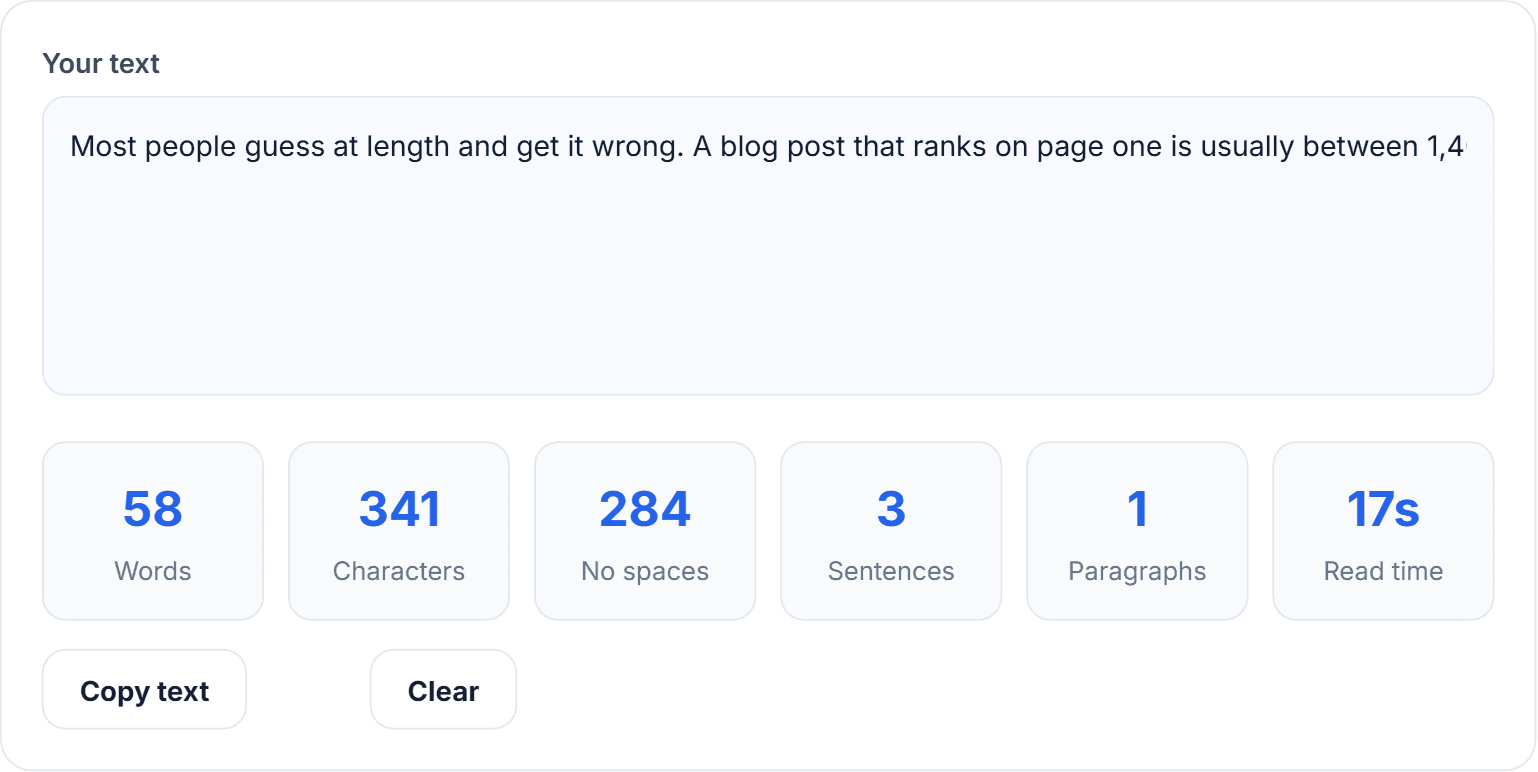
Live word, character, sentence and reading-time counts.
Why word count matters more than writers admit
Platforms enforce limits ruthlessly
Miss a character cap and your text is cut mid-sentence — or rejected outright. Meta descriptions get truncated with “…”, tweet drafts refuse to post, ad platforms hard-stop headlines. Counting before you paste beats editing after you fail.
Assignments and applications are judged on it
Universities dock marks for missing word counts. Scholarship essays say “500 words” and mean it. Job applications ask for 200-word statements and reject 350-word ones. Fair or not, hitting the number is part of the test.
Length correlates with performance
Content studies keep finding the same shape: long-form articles (1,500–2,500 words) earn more backlinks and rank for more keywords, while emails and social posts perform best short. The skill is matching length to format — and you cannot match what you do not measure.
The ideal length for everything (cheat sheet)
- Google title tag: under 60 characters (write it with our meta tag generator).
- Meta description: 120–160 characters.
- Blog post (SEO): 1,500–2,500 words for competitive topics; 800+ minimum to be taken seriously.
- Email subject line: 30–50 characters; body 50–125 words for cold outreach.
- X / Twitter: 280 max, engagement peaks around 70–100.
- LinkedIn post: ~210 characters before the fold; 1,300–2,000 characters for long posts.
- Instagram caption: 125 characters visible before truncation.
- YouTube description: first 125 characters show in search — front-load them.
- College essay (Common App): 650 words, hard cap.
- Novel: 70,000–100,000 words for most adult fiction.
Words, characters, sentences, reading time — what each metric is for
- Words — the academic and publishing standard; essays, articles, scripts.
- Characters (with spaces) — what platforms actually enforce: meta tags, tweets, SMS, form fields.
- Characters (without spaces) — used in some translation and typesetting billing.
- Sentences and average length — the readability signal: if your average sentence passes 25 words, readers strain. Mix short ones in.
- Reading time — words ÷ 200–240 wpm. Medium popularised showing it because honest time estimates increase click-through; a “4 min read” feels like a fair deal.
The best word counting tools compared
1. HN Solutions Word Counter — best free live counter
Our word counter updates every metric as you type: words, characters with and without spaces, sentences, paragraphs and reading time, with copy and clear buttons. It runs entirely in your browser — paste a confidential contract or an unpublished manuscript and nothing is uploaded anywhere. Free, no account, no limits.
2. WordCounter.net — feature-heavy, ad-heavy
Adds keyword density and goal tracking, wrapped in ads. Text is processed in-page, but the clutter slows the simple job.
3. Google Docs / Microsoft Word built-ins
Fine while drafting long documents (Ctrl+Shift+C in Docs), but no live character view for social/meta work, and you must be inside the app.
4. Grammarly — counting as a side effect
Counts words while checking grammar. Powerful, but requires an account, uploads your text to their servers, and nags you to upgrade.
5. Character Count Online — minimal single-purpose
Does characters fine; thin on everything else.
Why choose our counter
- Everything on one screen: the six metrics that matter, live, no tabs or settings.
- Private by design: client scripts only — your text never leaves the device, which matters for NDA’d work, legal drafts and unpublished writing.
- Fast on any device: loads instantly, works on a phone in the notes-to-caption workflow.
- Genuinely free: no ads shoving the textarea around, no premium tier.
How to use the word counter in a real workflow
- Open the word counter in a pinned tab.
- Draft or paste your text — counts update live as you type or edit.
- Watch the metric that matters for your format: characters for meta descriptions and social, words for essays and articles, reading time for newsletters.
- Edit to target. Cutting 520 words to 500 almost always improves the writing anyway.
- Copy the finished text straight from the tool.
Pro tips: for meta descriptions, aim 150–155 characters to survive Google’s variable truncation; for essays with a 500-word cap, land at 490 — graders notice padding at the line; and check sentence count against word count, because a 100-word, 3-sentence paragraph is a readability red flag.
Word count questions
Do spaces count as characters?
For nearly every platform limit — yes. Twitter, meta tags and form fields all count spaces. Use the “with spaces” number unless told otherwise.
How is reading time calculated?
Words divided by an average reading speed of ~200 words per minute. Technical content reads slower; skimmable listicles faster.
How many words is a 5-minute speech?
Around 650–750 words at a natural speaking pace of 130–150 wpm. Write 700 and rehearse.
Does word count affect SEO directly?
Not as a ranking factor by itself — but longer content tends to cover topics more completely, which is what actually ranks. Depth first, count second. Check keyword balance with our keyword density checker.
So how long should yours be?
Length limits are not the enemy of good writing — they are the frame that forces clarity. Keep the free word counter open while you write, pair it with the meta tag generator when you publish, and explore the rest of our free daily tools and SEO tools to round out the workflow.